Truncation of Clinical Terms
Truncation of Clinical Terms
- Truncation of Clinical Terms
- Executive Summary
- Problem Statement - Customer need - • Effectively display lists of clinical terms when UI space is limited • Review the potential for generic guidance for the truncation of clinical terms in any context - User experience goals - • Support the user task of selecting a clinical term from a list as part of the process of encoding • Suggest mitigations for patient safety risks associated with hidden text and mis-selection in lists
- Scope Statement
- Process Overview
- About this design consultation
- Patient Safety Overview
- DESIGN EXPLORATION
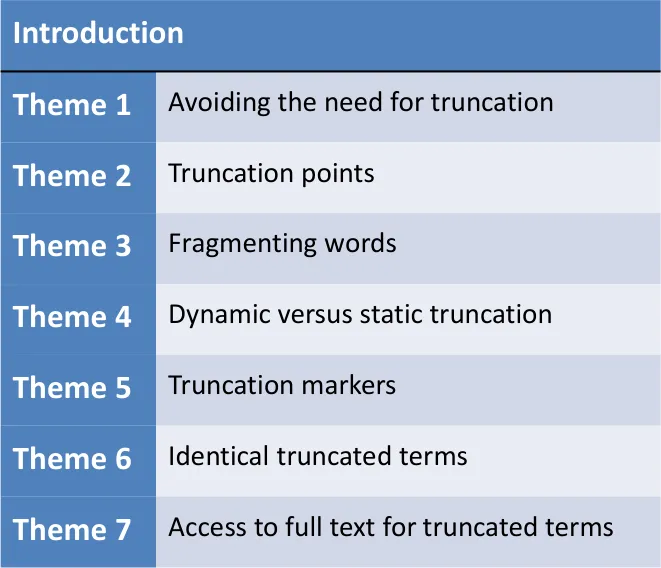
- AVOIDING the need for TRUNCATION
- TRUNCATION POINTS
- Truncation points – risks
- Truncation points – visibility
- Truncation points – manually-defined truncation
- Truncation points – summary views
- Truncation points – numbers and units
- • Determining when to use truncation and where to truncate may be dependent on an analysis of the specific type of information subject to truncation • Emerging recommendations can be used to inform further work on truncation points
- FRAGMENTING WORDS
- DYNAMIC versus STATIC TRUNCATION
- TRUNCATION MARKERS
- IDENTICAL TRUNCATED TERMS
- ACCESS to FULL TEXT for truncated terms
- Supporting Materials
- Distribution
Source PDF: truncation.pdf
Design Consultation Document
Prepared for
NHS Connecting for Health
Friday, 18 December 2009
Version 1.0.0.0 Baseline
Prepared by
Clinical Applications and Patient Safety Project
NHS CUI Programme Team
This document was prepared for NHS Connecting for Health which ceased to exist on 31 March 2013. It may contain references to organisations, projects and other initiatives which also no longer exist. If you have any questions relating to any such references, or to any other aspect of the content, please contact cuistakeholder.mailbox@hscic.gov.uk
Executive Summary
Problem
- Truncation of text is already widely used in information rich views in both nonclinical and clinical software
- Truncated clinical terms may be more prone to misinterpretation and misselection than terms displayed in full
- An assessment of the patient safety risks of alternatives to truncation is needed
to inform future design decisions Scope
- This study focuses on truncation of the text of clinical terms displayed in aselection list, with a brief look at truncation of terms in a summary view Headline Findings
- Truncation of clinical terms should be avoided where possible
- Truncated clinical terms may introduce more patient safety risks than terms
displayed in full
- In most cases, clinical terms should be displayed in full in a list with a verticalscroll bar
- Truncation may be relevant in specific contexts, types of information, tasks orviews
- It is unlikely that a set of generic rules for truncation can be defined18 December 2009 Copyright ©2013 Health and Social Care Information Centre Slide 2
-
Executive Summary
-
Table of Contents
-
Problem Statement
-
Scope Statement
-
Process Overview
-
About this design consultation
-
Patient Safety Overview
-
Design Exploration
-
Themes
-
Supporting Materials
18 December 2009 Copyright ©2013 Health and Social Care Information Centre Slide 3
Problem Statement
Customer need
• Effectively display lists of clinical terms when UI space is limited • Review the potential for generic guidance for the truncation of clinical terms in any context
User experience goals
• Support the user task of selecting a clinical term from a list as part of the process of encoding • Suggest mitigations for patient safety risks associated with hidden text and mis-selection in lists
18 December 2009 Copyright ©2013 Health and Social Care Information Centre Slide 4
Scope Statement
In Scope
- How to truncate coded clinical terms displayed in a selection list
- Exploration and research limited to SNOMED CT®- How to truncate coded clinical terms displayed in a list or table
- Limited feedback based on evolving work in the Display of Clinical Statements Workstream- How to access the full text of a truncated clinical term
- Limited feedback based on evolving work in the Display of Clinical Statements WorkstreamOut of Scope
-
Truncation of coded clinical terms in scenarios not listed above
-
Truncation of user interface elements (such as menu items and window titles)
-
Truncation of other information, such as medications (apart from those displayed as coded clinical terms), patient names and dates
-
Truncation of non-encoded clinical terms
-
Truncation of post coordinated coded clinical terms
-
Using approved acronyms or abbreviations to shorten text
-
Truncation of free text
18 December 2009 Copyright ©2013 Health and Social Care Information Centre Slide 5
Process Overview
Scoping and Research
-
Review of NHS CFH Rules for the Display of Coded Clinical Data
-
Review of truncation in a small number of clinical and non-clinical applications
-
Review of NHS CFH analysis of SNOMED CT
-
Review of UI principles for avoiding truncation
Risk Assessments
-
Preparation of scenario and design alternatives
-
Reporting findings
Design Exploration
-
Design exploration for truncating in selection lists
-
Design exploration for truncating in views that summarise clinical statements
User Research
-
Risk assessment of designs in interviews with six participants
-
Reporting user research findings
18 December 2009 Copyright ©2013 Health and Social Care Information Centre Slide 6
About this design consultation
The purpose of the document is to summarize the current learning that has been achieved in the design and research process to date. This is articulated primarily in terms of the features that comprise the preferred current design. These design features aggregate into seven themes.
For each theme we illustrate a few design points with images of the current design, plus an indication of some of the alternatives we have been considering. We then summarise the key design points, including some that haven’t been illustrated, plus the rationale for choosing these points. We end each theme by outlining the proposed next steps and future exploration.
18 December 2009 Copyright ©2013 Health and Social Care Information Centre Slide 7
Patient Safety Overview
The development lifecycle for this consultation document includes an integrated patient safety assessment and management process.
Known patient safety incidents relevant to this area have been researched and reviewed as part of ongoing development.
The Hazard Log records all the risks that have been identified during development and describes potential mitigatory actions that could be considered alongside future exploratory work in this area. The Hazard Log is a live document that will be updated as this area of work is developed further.
Until this work is progressed and developed to full design guide status it will not be in a position to achieve full Clinical Authority to Release (CATR) from the NHS Connecting for Health (CFH) Clinical Safety Group (CSG).
Please refer to www.cui.nhs.uk for further information on the patient safety process and for the safety status and any relevant accompanying safety documentation for this consultation document.
18 December 2009 Copyright ©2013 Health and Social Care Information Centre Slide 8
DESIGN EXPLORATION
18 December 2009 Copyright ©2013 Health and Social Care Information Centre Slide 9
Design Exploration
All illustrations use current SNOMED CT terms.
18 December 2009 Copyright ©2013 Health and Social Care Information Centre Slide 10
Introduction – what is truncation?
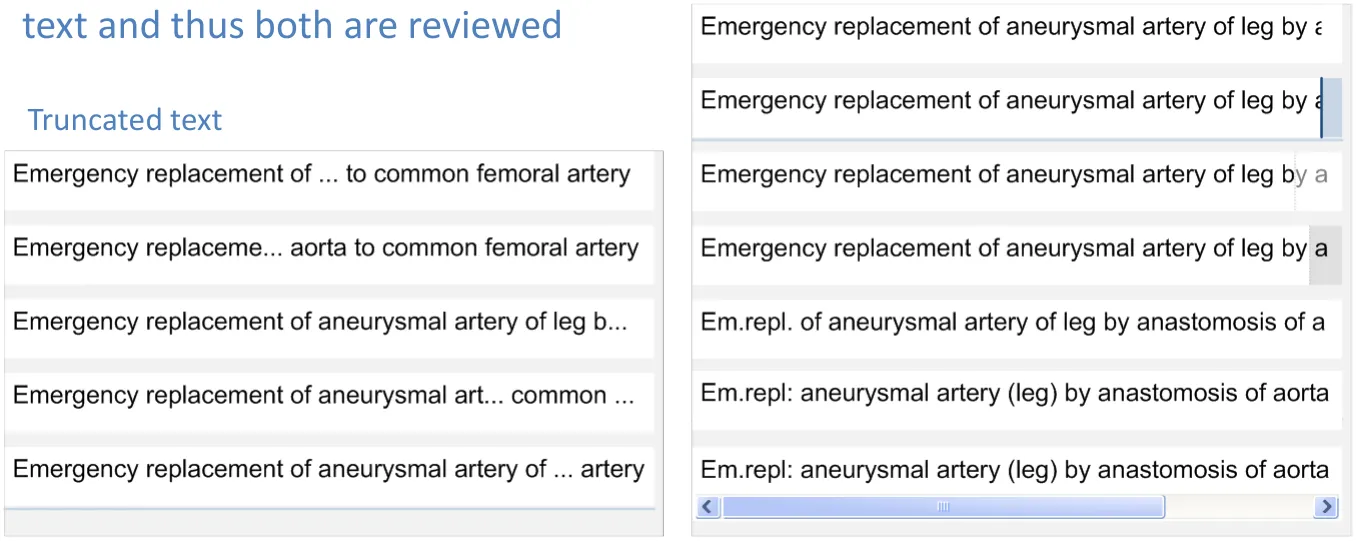
In this document, the word ‘truncation’ is used to refer to the removal of a section of text in order to fit the remainder into a smaller space
Although this document focuses on truncation, the use of truncation must be compared to obscuring
Obscured text
18 December 2009 Copyright ©2013 Health and Social Care Information Centre Slide 11
Introduction – truncation in non-clinical applications
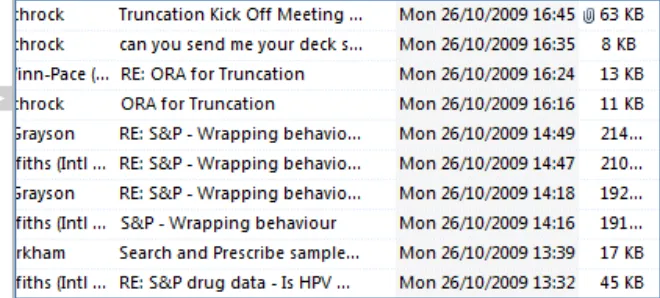
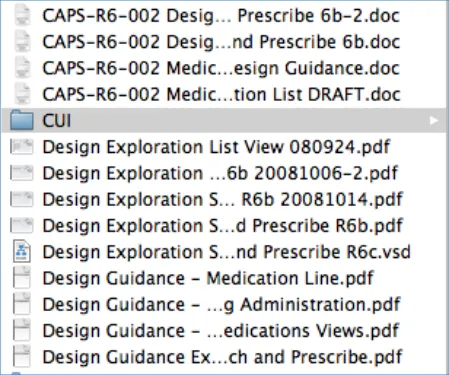
Truncation is widely used in both clinical and non-clinical applications Text is truncated at the end or in the (approximate or exact) ‘middle’
| pending on context | Col2 | Col3 |
|---|---|---|
| A list of emails truncated at the end |
A list of files truncated in the ‘middle’
Truncation of text is generally used when text is limited to single lines in dynamic width spaces so the truncated text changes as the width is changed. Words are usually fragmented to make best use of the available space
18 December 2009 Copyright ©2013 Health and Social Care Information Centre Slide 12
Introduction – truncation in clinical applications
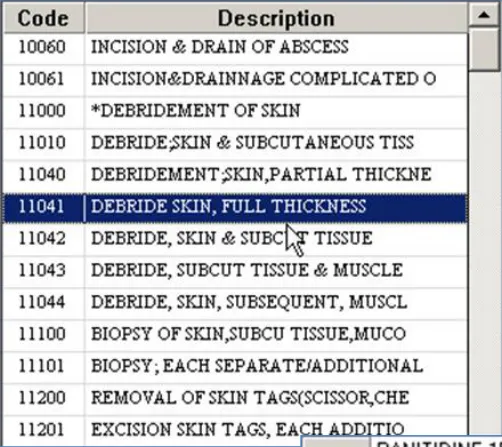
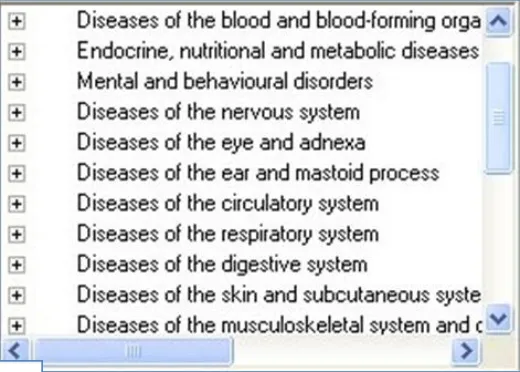
Truncation is a popular solution to solving the need to display long terms in information-rich views, especially when that information is presented in

| ular form | Col2 | Truncated Text with an Ellipsis | Col4 | Col5 | Col6 |
|---|---|---|---|---|---|
| Terms cut short by the edge of the list | Terms cut short by the edge of the list | Terms cut short by the edge of the list | Terms cut short by the edge of the list | Terms cut short by the edge of the list | Horizontal and Vertical Scroll Bars |
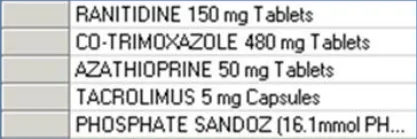
Truncation of medications
18 December 2009 Copyright ©2013 Health and Social Care Information Centre Slide 13
Introduction – lengths of SNOMED CT terms
18,000
16,000
14,000
12,000
10,000
8,000
6,000
4,000
2,000
0
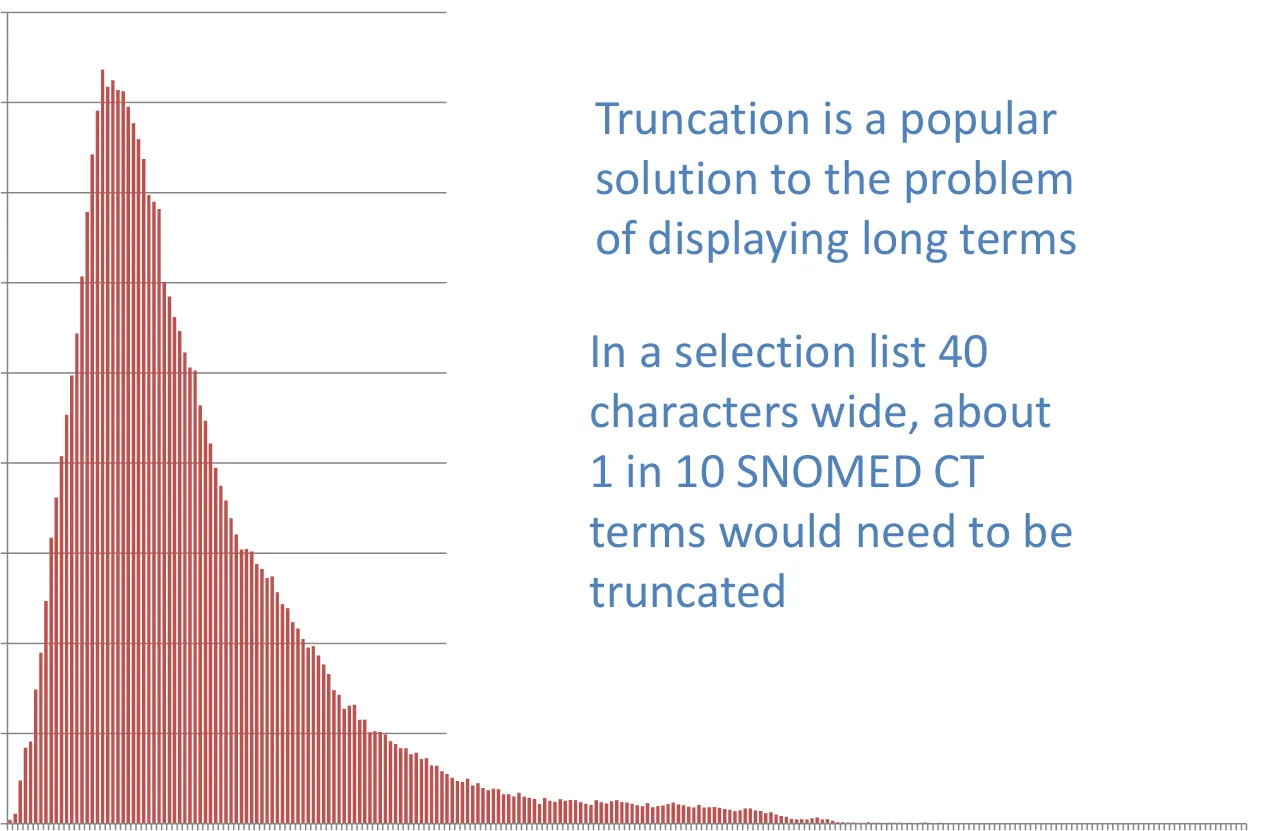
Term Lengths (number of characters)
18 December 2009 Copyright ©2013 Health and Social Care Information Centre Slide 14
Theme 1
AVOIDING the need for TRUNCATION
18 December 2009 Copyright ©2013 Health and Social Care Information Centre Slide 15
the need for
Avoiding truncation – wrapping
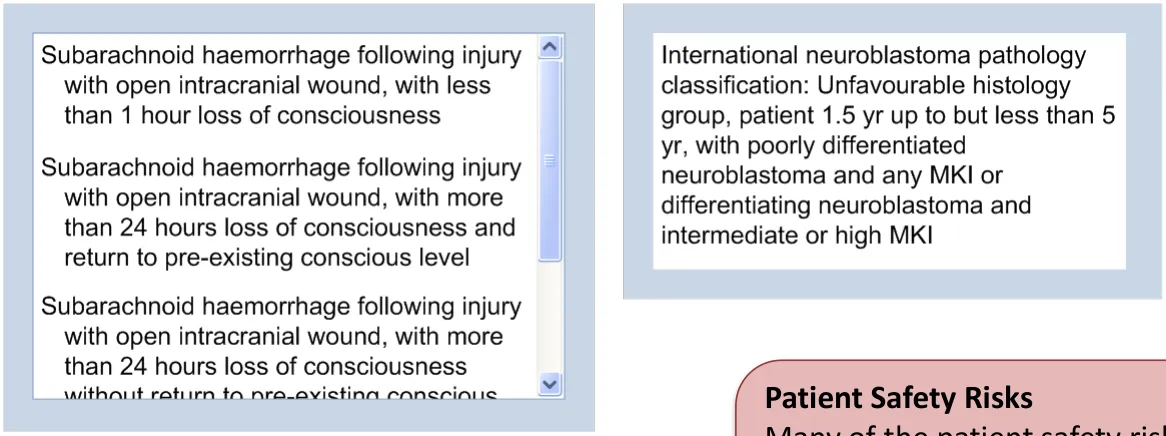
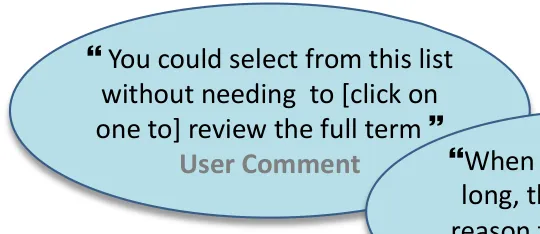
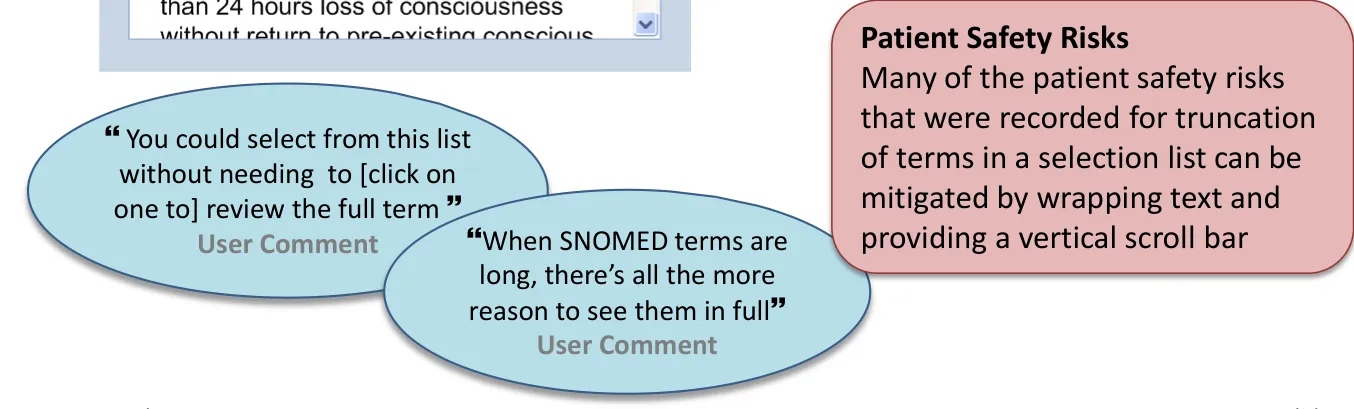
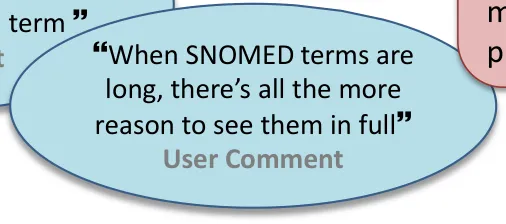
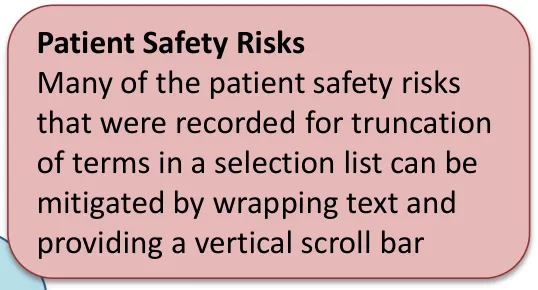
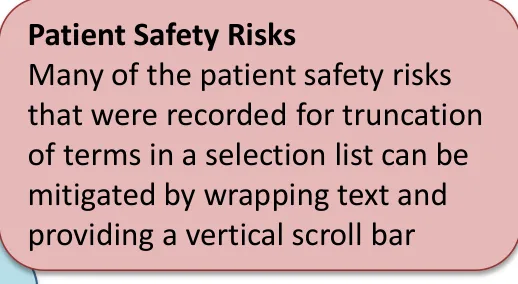
Wrapping ensures that all items are displayed in full. If each item in a list can be scrolled into view so that the whole term is visible, then each term can be reviewed easily before a selection is made
the need for
Avoiding truncation – scrolling
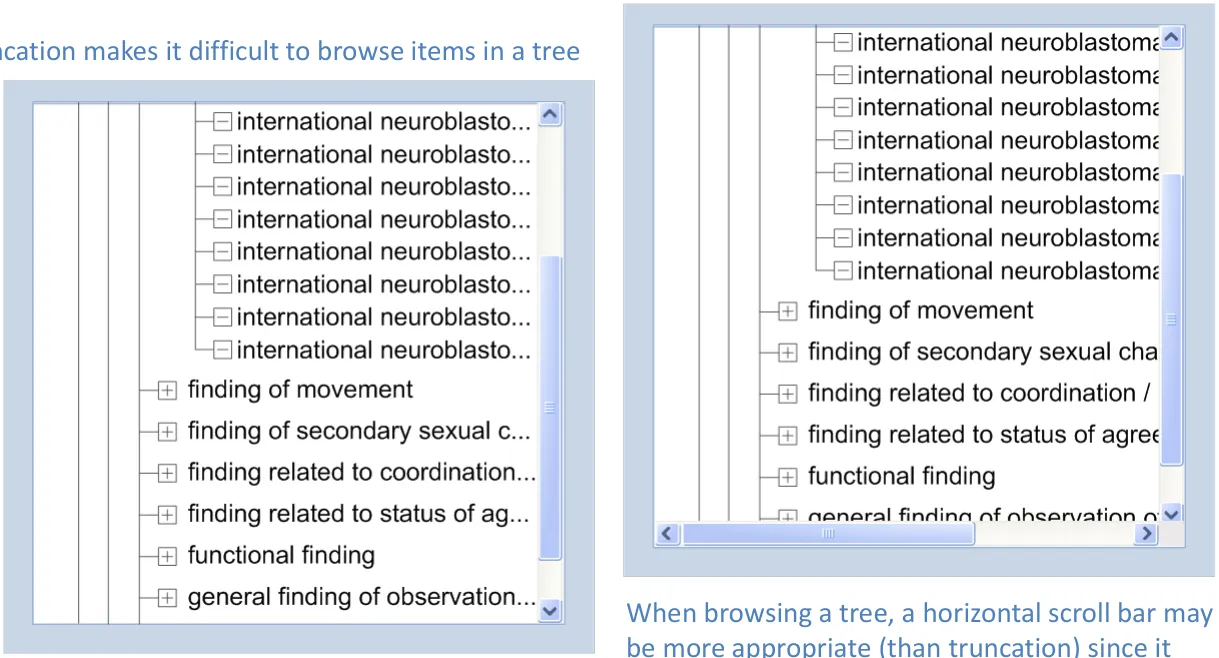
Truncation of clinical terms may not be appropriate for some tasks. For example, when the task is browsing (rather than searching for a known term), the list may be presented as a tree
provides more immediate access to full terms
18 December 2009 Copyright ©2013 Health and Social Care Information Centre Slide 17
 the need for
Avoiding truncation – grouping
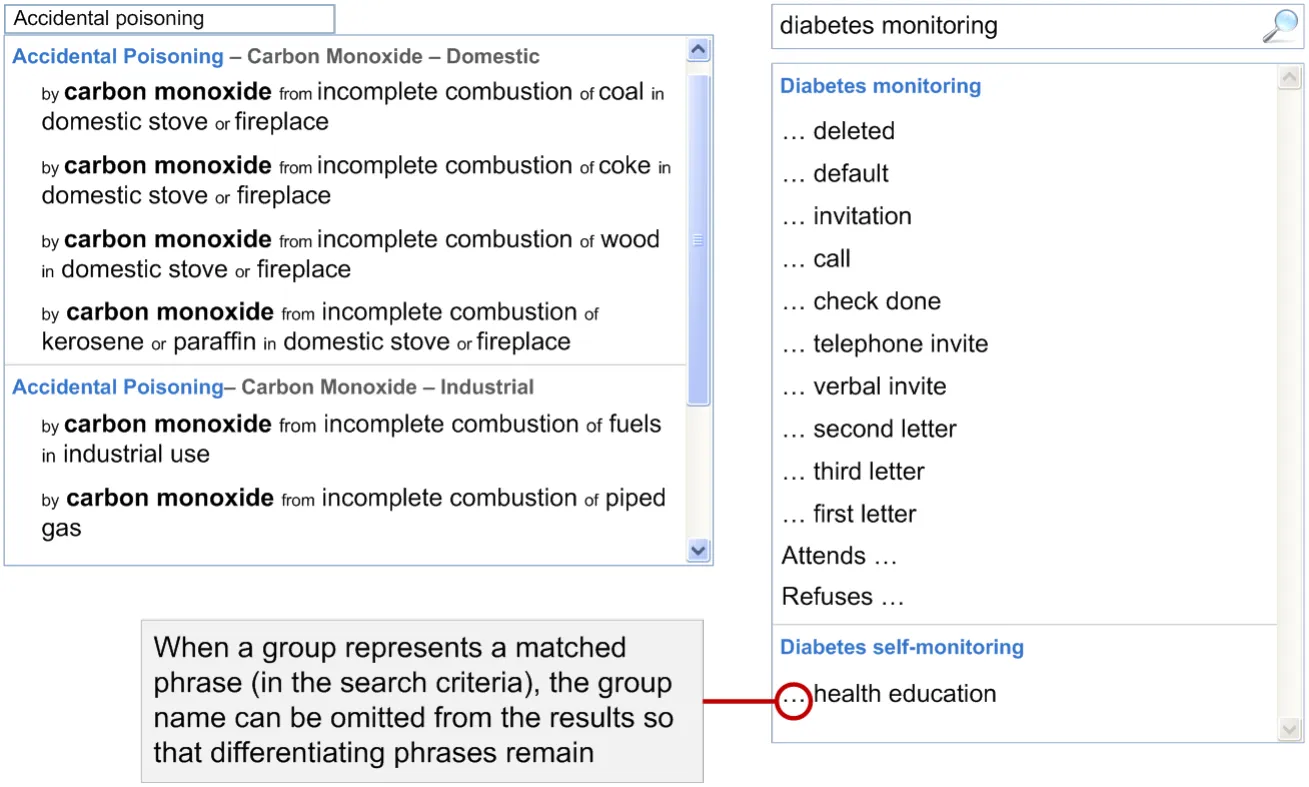
Groups help to break the list down into smaller chunks and reduce the number of list items that need to be reviewed
18 December 2009 Copyright ©2013 Health and Social Care Information Centre Slide 18
 the need for
Avoiding truncation
Summary
- Wrapping
a) Ensures that all items are displayed in full (with the help of a vertical scroll bar) b) When long words wrap, it can create a lot of unused space on the right of the text c) When wrapping, rules may be needed to keep associated elements such as numbers and
units together 2. If summaries can be created that are meaningful, it may be possible to provide higher level summary views that can then be used to drill down a subset of the detail that can then be displayed in full (without truncation) 3. Approved acronyms and abbreviations can be used to shorten some structured text entries 4. Groups add structure and can be used to hide the text in each list item that is implied by the group it is in 5. Modifying search processes and supporting filtering may help users to work with shorter lists in which truncation is not necessary 6. Showing or hiding certain types of information (or labels in a chart view) may simplify the view and leave more room for other information to be displayed with minimum truncation
18 December 2009 Copyright ©2013 Health and Social Care Information Centre Slide 19
the need for
Avoiding truncation
| Emerging Recommendations | Evidence |
|---|---|
| Use truncation as a last resort and only when truncated terms are the exception rather than the rule | • Tasks associated with both summary views and selection lists are not well supported when truncation of terms is a common occurrence • There are many patient safety risks (such as misinterpretation and missing the presence of truncated text) associated with the interpretation of truncated terms |
| When wrapping encoded text ensure that elements such as labels, numbers, units and separators are kept together where necessary | • When wrapping separates quantities (100) from units (milligrams), there is a risk that, in skim reading, the wrapped text is guessed rather than actively read. Preserving them together mitigates this risk • The completion of further work in this area may generate a set of more specific recommendations |
Note: Emerging recommendations are at many levels (some high level and generic, others more detailed) and include more than one (mutually exclusive) approach. They need significant further design, research and risk assessment before they can be considered as candidates for future guidance
18 December 2009 Copyright ©2013 Health and Social Care Information Centre Slide 20
the need for
Avoiding truncation
| Emerging Recommendations | Evidence |
|---|---|
| Do not wrap mid-word (thus creating word fragments with or without hyphens) | • Hyphenating words that are not usually hyphenated may create fragments that can be misinterpreted as whole words • As above, the wrapped part of a hyphenated word may be guessed by the user rather than actively read • The completion of further work in this area may identify the need for a technical solution to prevent applications from taking hyphens as wrapping points by default |
| If a list can include items that are too long to be displayed in full without scrolling, allow the list to be resized so that it is possible to see the longest term without scrolling | • The task of selecting from a list is not well supported if rapid scrolling is needed and list items must be held in short term memory in order to compare between them and make an appropriate selection |
18 December 2009 Copyright ©2013 Health and Social Care Information Centre Slide 21
the need for
Avoiding truncation
| Emerging Recommendations | Evidence |
|---|---|
| Do not provide a horizontal scroll bar in selection lists unless the list can be resized to display all terms in full | • The task of selecting from a list is not well supported if rapid scrolling is needed and list items must be held in short term memory in order to compare between them and make an appropriate selection • Horizontal scrolling does not allow a list to be scrolled so that a list item is visible in full • Comparing list items is more difficult with a horizontal scroll bar unless the differentiating text is at the end of each term • Horizontal scrolling is a more complex mechanical interaction than vertical scrolling when a mouse with a scroll wheel is used |
18 December 2009 Copyright ©2013 Health and Social Care Information Centre Slide 22
the need for
Avoiding truncation
Areas / questions for further study
-
If truncation is being considered, is the design solution the best way of supporting the user task?
- For example, if truncation is being considered for selection lists of clinical terms, is
a selection list the best mechanism for making that selection?
-
In which contexts is truncated information sufficiently meaningful to support the tasks of searching and selecting an appropriate term or reviewing a patient using summary views?
-
There may be some contexts in which truncation is appropriate only for expert users or certain roles and should be avoided for novice users or for other roles
-
If groups are used in search results, more work is needed to determine whether the structure of the results should be manuallydefined or influenced by the search criteria
-
Emerging recommendations can be used to inform further work on avoiding the need for truncation
18 December 2009 Copyright ©2013 Health and Social Care Information Centre Slide 23
Theme 2
TRUNCATION POINTS
If truncation cannot be avoided, where should text truncate?
18 December 2009 Copyright ©2013 Health and Social Care Information Centre Slide 24
Truncation points – risks
Truncating in the ‘middle’ may create ‘artificially meaningful’ sentences, cause more than one fragmented word and / or affect the space and
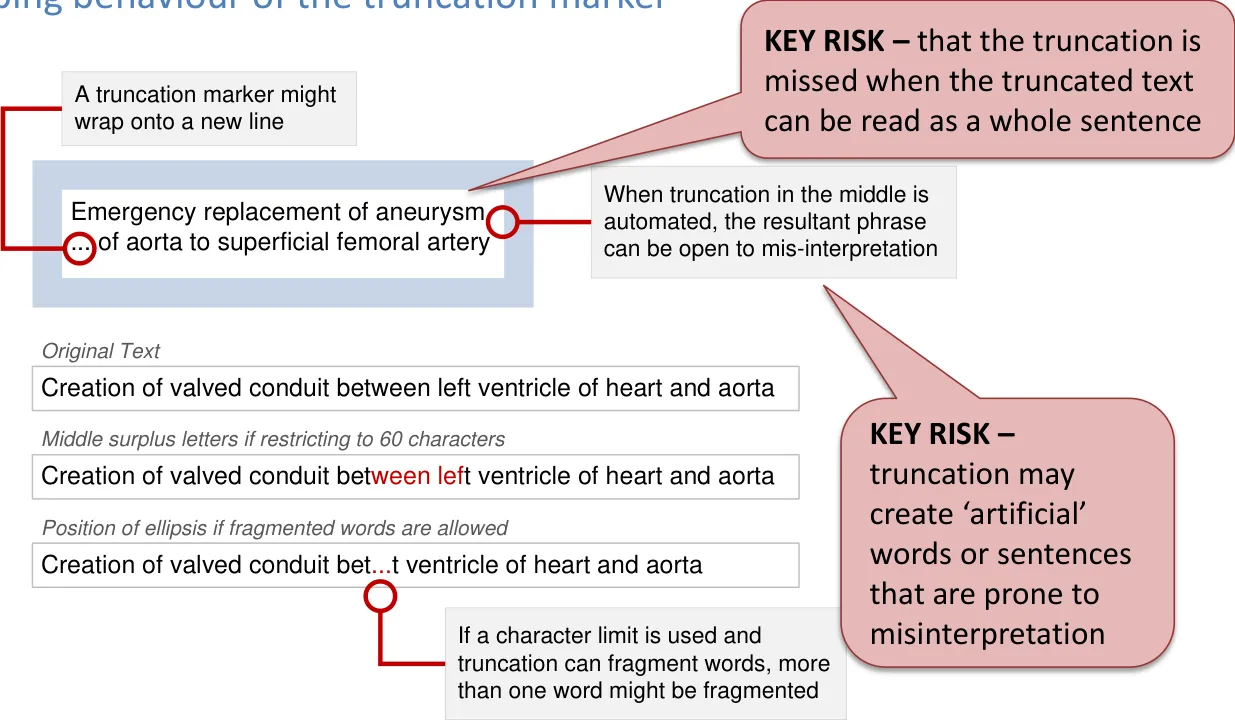
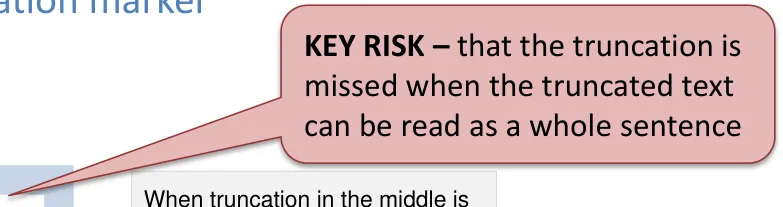
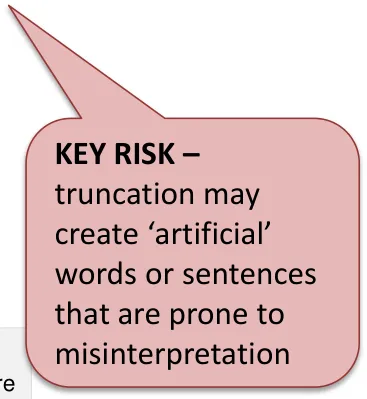
18 December 2009 Copyright ©2013 Health and Social Care Information Centre Slide 25
Truncation points – visibility
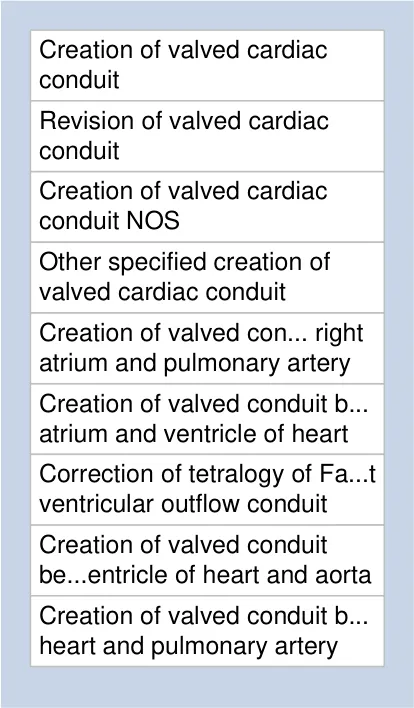
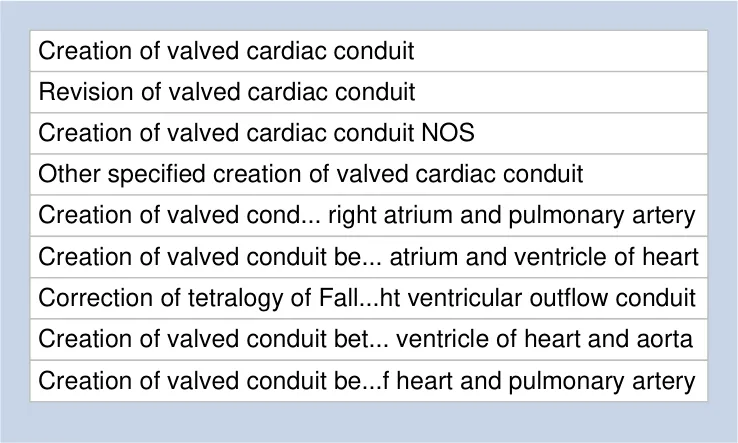
Truncating at the end is potentially easier to notice and a truncation point at the end is more consistently placed (visually) than a truncation point in the ‘middle’. However, truncation in the ‘middle’ may be more effective and easier to notice when each item is limited to a single line
18 December 2009 Copyright ©2013 Health and Social Care Information Centre Slide 26
ntial
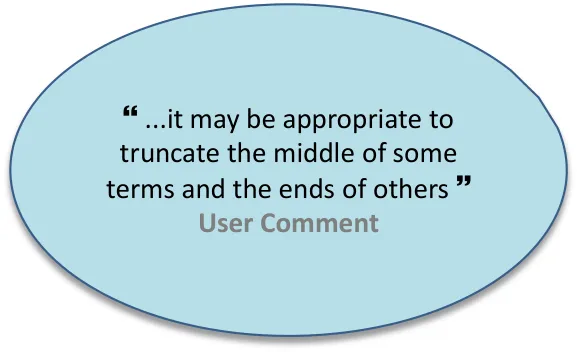
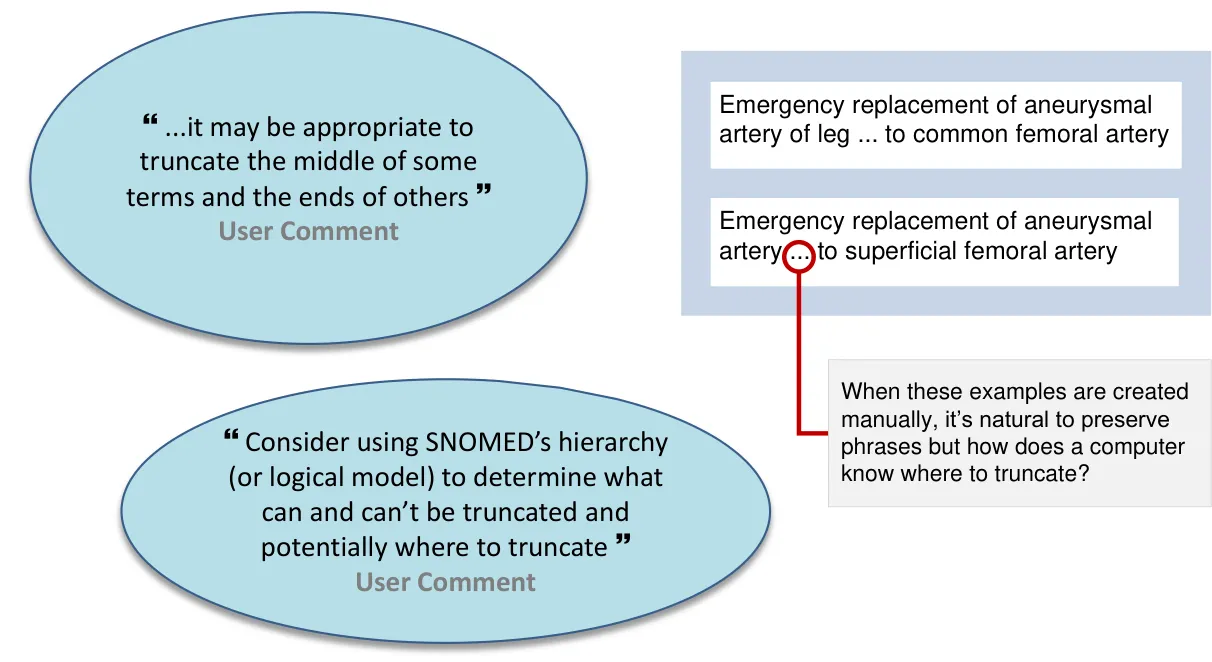
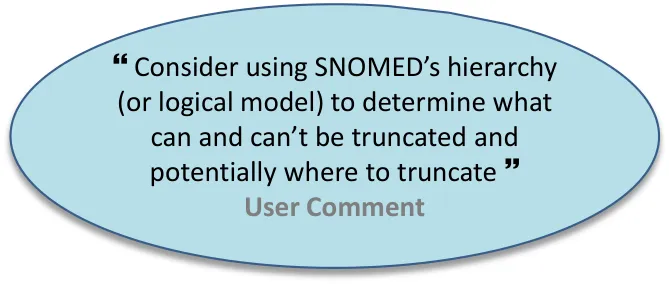
Truncation points – manually-defined truncation
A set of manually defined truncation points (defined for each term) could ensure that clinical terms are always truncated in acceptable places and that phrases are preserved where necessary
18 December 2009 Copyright ©2013 Health and Social Care Information Centre Slide 27
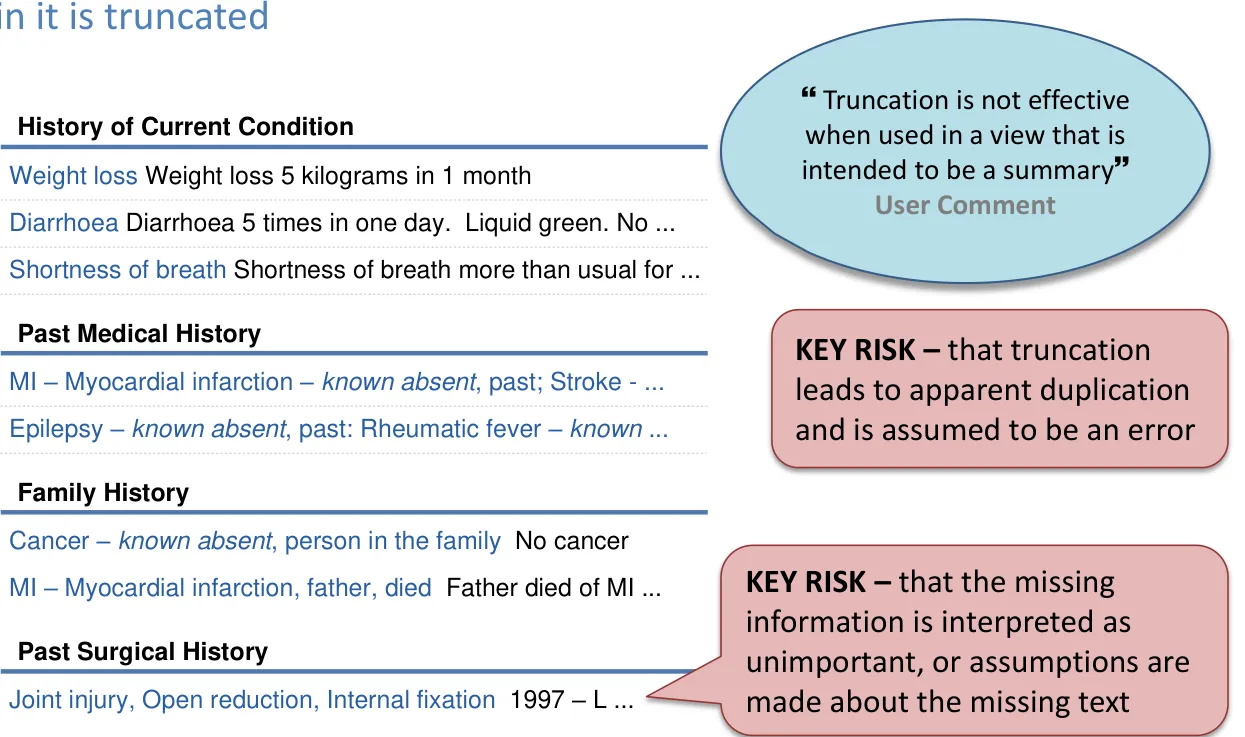
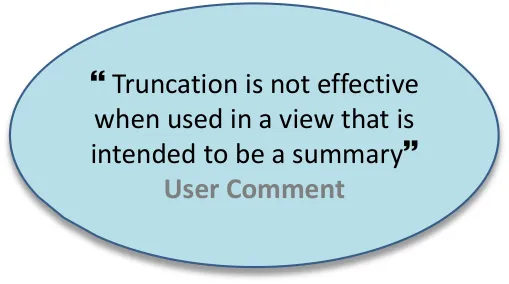
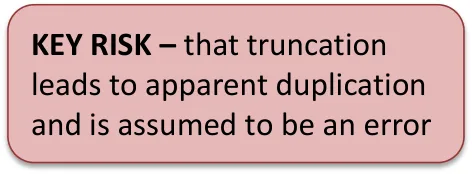
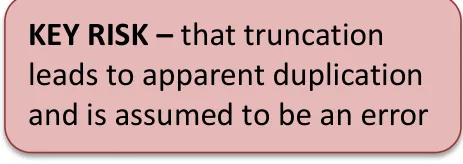
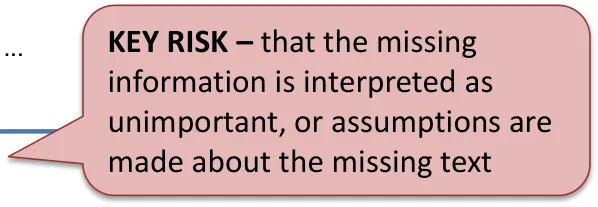
Truncation points – summary views
A summary view (containing clinical terms) is not effective if the information
18 December 2009 Copyright ©2013 Health and Social Care Information Centre Slide 28
Truncation points – numbers and units
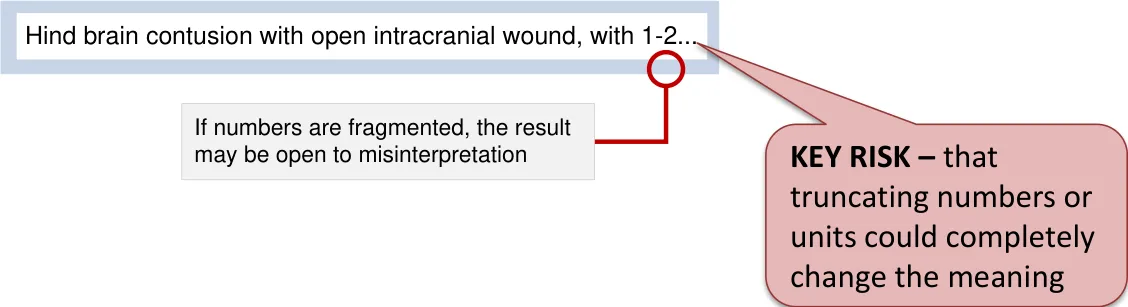
Numbers may be separated from associated units when wrapping or truncation is used
When truncation allows numbers to be fragmented, a number may be missing one or more digits

18 December 2009 Copyright ©2013 Health and Social Care Information Centre Slide 29
Truncation points
Summary
- Preserving phrases is difficult to do automatically
- Fixed character limit
a) Can create an artificially large space after the point of truncation b) Not likely to make the best use of the available space c) Could be used to ensure consistent truncation in different contexts but likely to introduce problems in a
context where the character limit is less suitable 3. Truncating at the end
a) Is potentially easier to notice b) A truncation point at the end is more consistently placed (visually) than a truncation point in the ‘middle’
(wrapping rules and whole word or fragmented words)
- Truncating in the ‘middle’
a) May create ‘artificially meaningful’ sentences b) May create more than one fragmented word and affects the space and wrapping behaviour of the
truncation marker c) May be more effective when limiting to a single line
- More than one truncation point (in a single term or text item)
a) May allow phrases or differentiating words to be maintained in view b) Requires sophisticated logic and is more difficult to achieve with a dynamic truncation point 6. A set of approved, manually-defined truncation points could ensure that terms are always truncated in acceptable (and expected) places
18 December 2009 Copyright ©2013 Health and Social Care Information Centre Slide 30
Truncation points
| Emerging Recommendations | Evidence |
|---|---|
| Do not truncate clinical terms when they appear in a list of fixed-width | • When a width is fixed, a solution is needed to support access to the full text for truncated terms • A fixed-width list cannot be resized (even temporarily) to reveal the truncated text • Any solution for accessing the full text of a truncated term is likely to be even less direct (and effective) than scrolling |
| Only use truncation in a selection list of clinical terms if the choice of text to truncate is informed by the data structure or a manually defined means of selecting acceptable text to truncate is available | • If truncation can be used in a way that supports accurate review of a list without accessing the full text, then some of the patient safety risks associated with truncated text are mitigated |
18 December 2009 Copyright ©2013 Health and Social Care Information Centre Slide 31
Truncation points
| Emerging Recommendations | Evidence |
|---|---|
| Only use ‘middle truncation’ when text is limited to a single line | • ‘Middle’ truncation is used effectively in non-clinical contexts and is therefore likely to be effective in some clinical contexts (depending on the nature of the information) • ‘Middle’ truncation may be the best approach for summary views that display information in which the end of the text is known to be the likely differentiator and no actions can be completed on the truncated text that are unsafe • The completion of further work in this area may generate exceptions to this rule, such as ‘don’t use ‘middle’ truncation for clinical terms’ |
18 December 2009 Copyright ©2013 Health and Social Care Information Centre Slide 32
Truncation points
Areas / questions for further study
• Determining when to use truncation and where to truncate may be dependent on an analysis of the specific type of information subject to truncation • Emerging recommendations can be used to inform further work on truncation points
18 December 2009 Copyright ©2013 Health and Social Care Information Centre Slide 33
Theme 3
FRAGMENTING WORDS
18 December 2009 Copyright ©2013 Health and Social Care Information Centre Slide 34
Fragmenting words – dynamic width
Fragmenting words works best with dynamic truncation – since the truncation point can move one letter at a time as a text area is resized
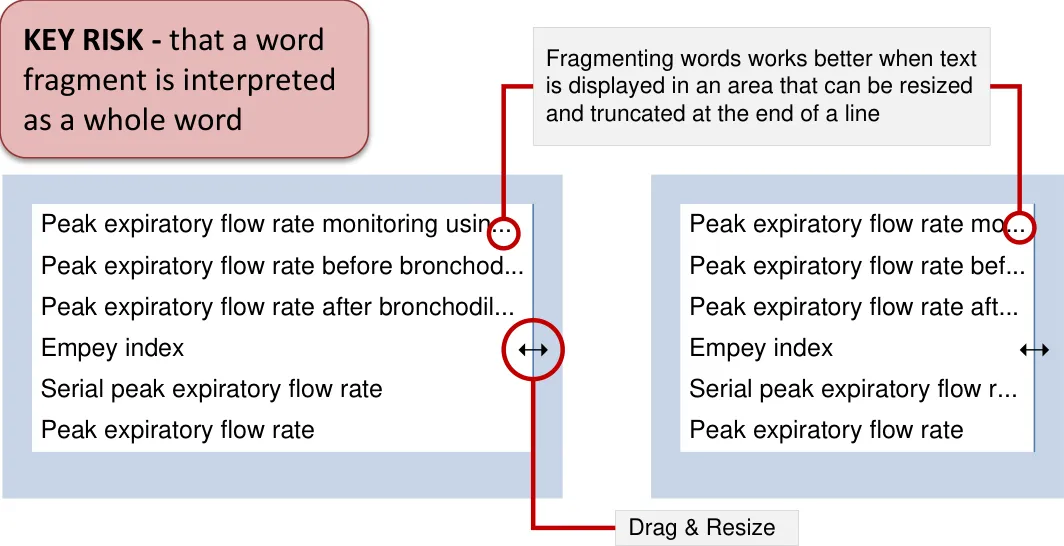
A fragmented word may be more noticeable than truncated text in which whole words are preserved
18 December 2009 Copyright ©2013 Health and Social Care Information Centre Slide 35
Fragmenting words – contexts
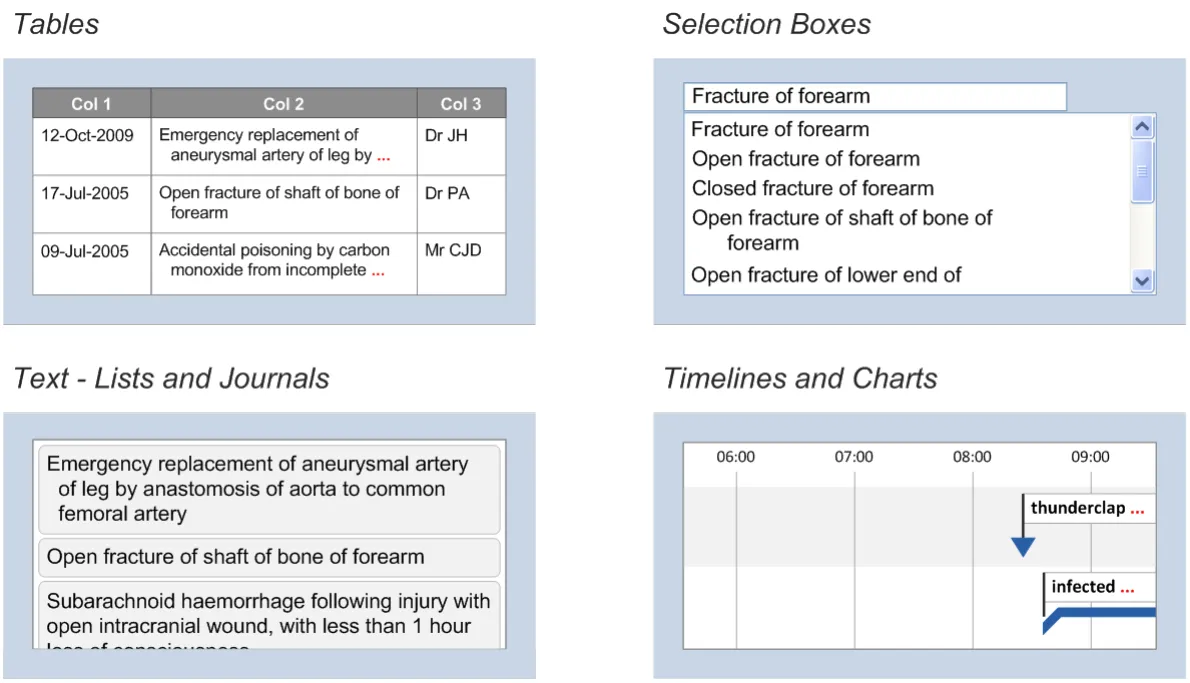
Truncation rules may need to be different depending on the context since it may be acceptable or even necessary to fragment words in some contexts
18 December 2009 Copyright ©2013 Health and Social Care Information Centre Slide 36
Fragmenting words
Summary
-
Fragmenting words works best with dynamic truncation because the truncation point can move one letter at a time as a text area is resized and more of the text is visible than when a whole word is truncated at a time
-
A fragmented word may be more noticeable than truncated text in which whole words are preserved
-
A fragmented word might look like a whole word. Similarly, fragmented numbers may be interpreted as whole when it is missing one or more digits
-
Hyphenation can be used to maximise the quantity of text that can be displayed on each line but creates fragmented words
-
When words are preserved, there may be greater space at the end of truncated text
-
In views (such as a timeline, chart or graph) where text cannot wrap onto a new line, it may be more appropriate to truncate and to fragment words in order to preserve as much visible text as possible
18 December 2009 Copyright ©2013 Health and Social Care Information Centre Slide 37
Fragmenting words
| Emerging Recommendations | Evidence |
|---|---|
| Do not truncate such that characters or digits are missing from numbers or units | • Removal of digits from numbers creates new numbers • Separation of numbers from units may lead to the units being guessed • Truncation of a unit (such as millilitres) may create or imply a different unit (such as milli… or…litres) |
| Do not fragment words when truncating text that is displayed in a fixed-width area | • For similar reasons that clinical terms should not be truncated in fixed-width lists. Ease of access to the full term is important here |
18 December 2009 Copyright ©2013 Health and Social Care Information Centre Slide 38
Fragmenting words
Areas / questions for further study
• Emerging recommendations can be used to inform further work on fragmenting words
18 December 2009 Copyright ©2013 Health and Social Care Information Centre Slide 39
Theme 4
DYNAMIC versus STATIC TRUNCATION
18 December 2009 Copyright ©2013 Health and Social Care Information Centre Slide 40
Dynamic versus static truncation
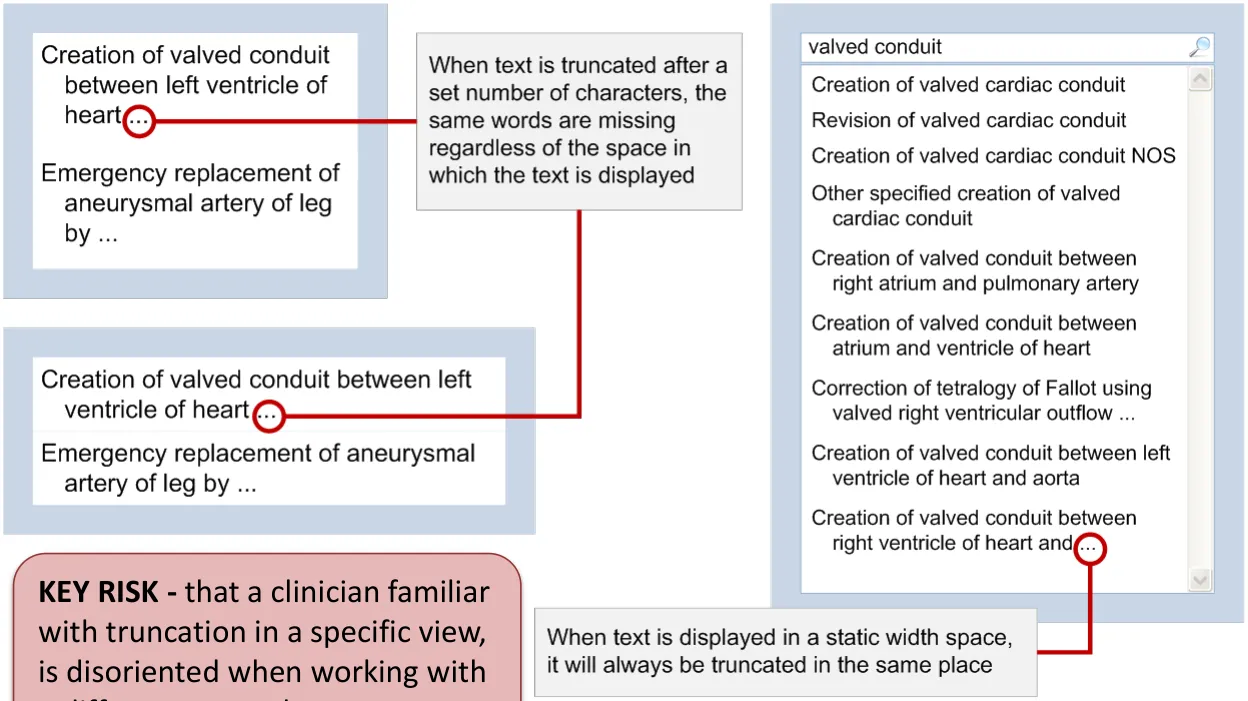
When truncation is dynamic, the truncation point depends on the space available to display the text. When truncation is static, each term is always truncated at the same point in the text, regardless of the space available
| The point of truncation depends Dynamic – Limited to 2 Creation of valved conduit on the space available between right ventricle of… lines | Col2 | The point of truncation depends on the space available |
|---|---|---|
| Dynamic– Limited to 2 lines | Creation of valved conduit between right ventricle of… | Creation of valved conduit between right ventricle of… |

25 characters wide


50 characters wide
18 December 2009 Copyright ©2013 Health and Social Care Information Centre Slide 41
Dynamic versus static truncation
When a space has fixed dimensions, the text will always be truncated at the same point
18 December 2009 Copyright ©2013 Health and Social Care Information Centre Slide 42
Dynamic versus static truncation
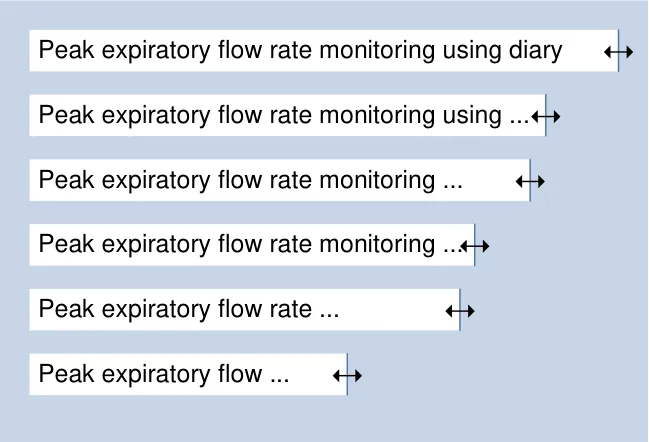
If the width of a selection list can be changed, it may be possible to increase the width until none of the items are truncated. When words can be fragmented, resizing may appear smooth as the text is truncated one letter at a time. Truncating whilst preserving whole words causes whole words to disappear when a width is reduced
18 December 2009 Copyright ©2013 Health and Social Care Information Centre Slide 43
Dynamic versus static truncation
Summary
- When using static truncation, such as truncating after a fixed number of characters
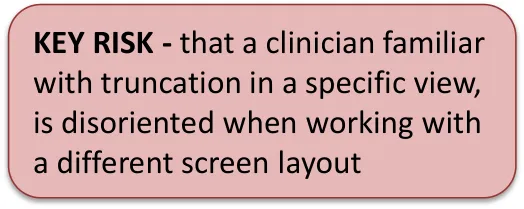
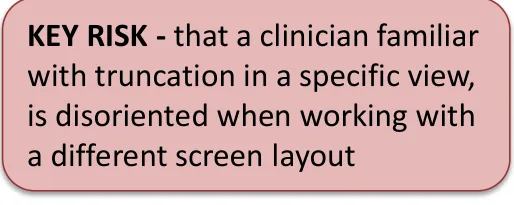
a) If an area is a set size, the truncation point will always be the same b) Truncation after a set number of characters may leave a lot of white space (thus not making full use of the available space) c) It may be easier to use more sophisticated methods of indicating truncation when the truncation point is static, since the location of the point at which the text is truncated is more predictable
- When using dynamic truncation, such as number of lines to wrap in a variable
width space
a) Truncating whole words might create a jerkiness as words are replaced with the truncation marker b) It is more difficult to draw attention to apparent duplicates or text that is open to misinterpretation as a result of the truncation because the truncation point (and thus whether it is duplicated or not) changes c) When truncating within cells, applying truncation to one column may not make best use of space if truncation is not also applied in other columns d) Using a single line limit with a variable width makes it easier to scan a list but it is less effective for selecting from a list when a large number of list items are truncated
18 December 2009 Copyright ©2013 Health and Social Care Information Centre Slide 44
Dynamic versus static truncation
| Emerging Recommendations | Evidence |
|---|---|
| Do not use a set number of characters as a rule for determining an appropriate truncation point | • A set number of characters is likely to be appropriate to a specific context. Since one of the benefits of using a set truncation point is consistency, it becomes irrelevant if the chosen point is not effective in all contexts |
| Do not provide a horizontal scroll bar for a view containing terms that are truncated at a set point | • If it is possible to scroll so that the point of truncation is off screen, it is more likely that a truncated term is misinterpreted as being whole |
18 December 2009 Copyright ©2013 Health and Social Care Information Centre Slide 45
Dynamic versus static truncation
Areas / questions for further study
• Emerging recommendations can be used to inform further work on dynamic versus static truncation
18 December 2009 Copyright ©2013 Health and Social Care Information Centre Slide 46
ntial
Theme 5
TRUNCATION MARKERS
18 December 2009 Copyright ©2013 Health and Social Care Information Centre Slide 47
Truncation markers
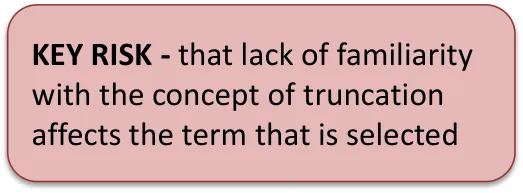
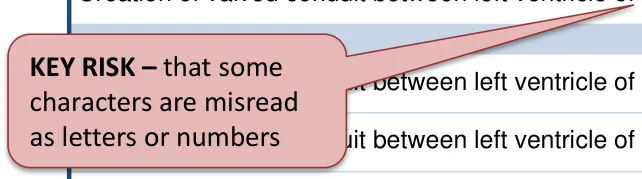
Text markers can be placed at the point of truncation and may be easier to implement than icons or images. Some text markers could be misread as
| ers or numbers | Col2 |
|---|---|
| Creation of valved conduit between right atrium and pulmo / Creation of valved conduit between atrium and ventricle of / Creation of valved conduit between left ventricle of heart a / Correction of tetralogy of Fallot using valved right ventricul / Text markers such as “/” or “>” may be easier to notice than an ellipsis but may also be misinterpreted as letters or numbers | Text markers such as “/” or “>” may be easier to notice than an ellipsis but may also be misinterpreted as letters or numbers |
| Creation of valved conduit between right atrium and pulmo / | Creation of valved conduit between right atrium and pulmo / |
| Creation of valved conduit between atrium and ventricle of / | Creation of valved conduit between atrium and ventricle of / |
| Correction of tetralogy of Fallot using valved right ventricul / | Correction of tetralogy of Fallot using valved right ventricul / |
| Creation of valved conduit between left ventricle of heart a / | Creation of valved conduit between left ventricle of heart a / |
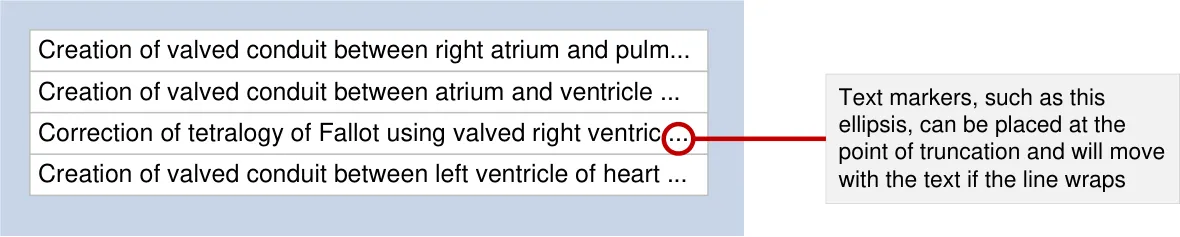
18 December 2009 Copyright ©2013 Health and Social Care Information Centre Slide 48
Truncation markers
A sequence of text characters, such as ‘… >>’ or ‘*… /’ may be easier to notice than a text marker such as an ellipsis ‘…’
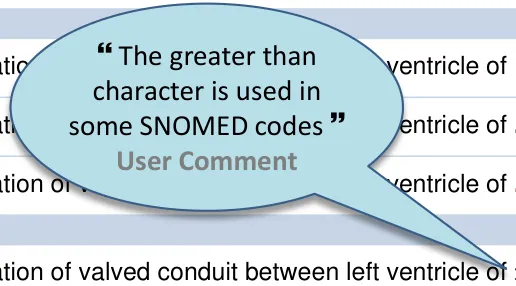
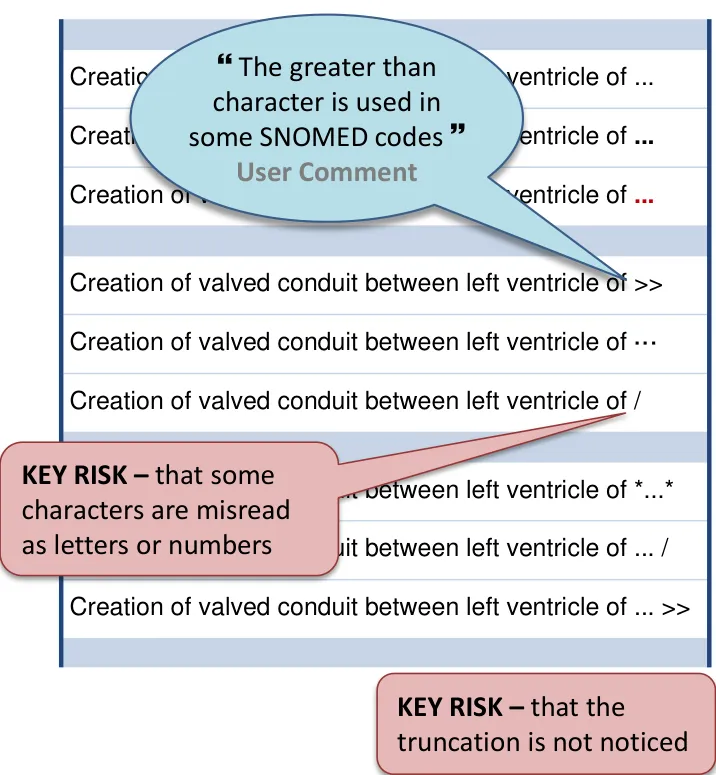
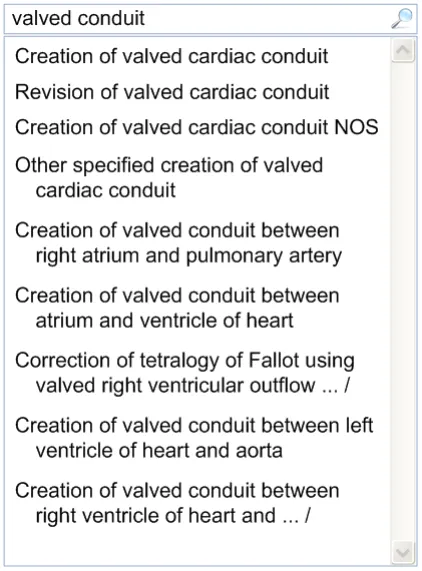
Symbols, icons or controls may be more noticeable than an ellipsis They may also take up more space (so more text has to be truncated)
18 December 2009 Copyright ©2013 Health and Social Care Information Centre Slide 49
Truncation markers
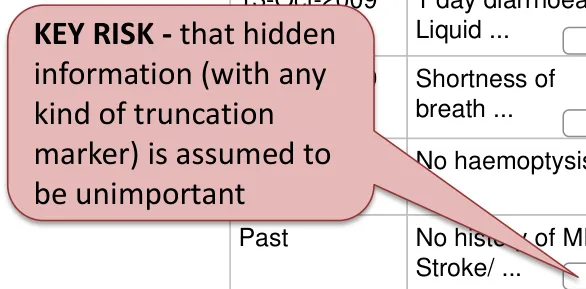
Icons or controls may distract too much from the text itself, especially if there are many of them in one view
| KEY RISK - that information (w kind of truncat marker) is assu be unimportan | 13-Oct-2009 hidden | 1 day diarrhoea. Liquid… | History of current condition… | 13-Oct-2009 Dr Sophie Allen |
|---|---|---|---|---|
| **KEY RISK -**that information (w kind of truncat marker) is assu be unimportan | 13-Oct-2009 ith any ion | Shortness of breath… | History of current condition… | 13-Oct-2009 Dr Sophie Allen |
| **KEY RISK -**that information (w kind of truncat marker) is assu be unimportan | 13-Oct-2009 med to t | No haemoptysis | History of current condition… | 13-Oct-2009 Dr Sophie Allen |
| **KEY RISK -**that information (w kind of truncat marker) is assu be unimportan | Past | No history of MI/ Stroke/ … | Past medical history Known absent: Epilepsy | 13-Oct-2009 Dr Sophie Allen |
| **KEY RISK -**that information (w kind of truncat marker) is assu be unimportan | Mild aortic stenosis | Past medical history Aortic stenosis - Mild | 13-Oct-2009 Dr Sophie Allen | |
| **KEY RISK -**that information (w kind of truncat marker) is assu be unimportan | No cancer | Family history Known absent: … | 13-Oct-2009 Dr Sophie Allen | |
| **KEY RISK -**that information (w kind of truncat marker) is assu be unimportan | 2008 (calculated) | Father died of MI aged 55 | Family history Known present: … | 13-Oct-2009 Dr Sophie Allen |
| **KEY RISK -**that information (w kind of truncat marker) is assu be unimportan | 1997 | L index finger, PIP joint… | Past surgical history Joint injury, Open… | 02-Feb-2007 Dr Tim Smith |
18 December 2009 Copyright ©2013 Health and Social Care Information Centre
ial
Slide 50
Truncation markers
Markers can be placed at the point where text is truncated or in association with the text item
A marker may also be placed such that it is associated with the text but not part of it
The ellipsis can be placed at the point where text is truncated
| 13-Jun-2008 | international neuroblastoma pathology xxclassification: Favourable histology… | 13-Oct-2009 Dr Sophie Allen |
|---|---|---|
| 13-Nov-1997 | emergency replacement of aneurysmal xxbifurcation of aorta by anastomosis… | 16-Jan-1999 Dr Sophie Allen |
| 13-Jan-1990 | open fracture of forearm, lower end, xxunspecified | 16-Jan-2009 Dr Sophie Allen |
| 13-Oct-1987 | pancreatic stone | 13-Oct-1987 Dr Sophie Allen |
18 December 2009 Copyright ©2013 Health and Social Care Information Centre Slide 51
Truncation markers
Summary
- Text markers:
a) Ellipses are used in typography to mark omission from speech or writing of a word or words
that are superfluous or able to be understood from the context. It is also the term for a set of dots (…) used to indicate such an omission b) A text marker may be easier to implement and to place at the point of truncation than an
icon or control c) Text markers, such as ‘>>’ or ‘/’, may be easier to notice than ‘…’ but may also be
misinterpreted or mistaken for text d) A sequence of text characters, such as ‘…’ or ‘/ … /’, may be easier to notice than a single
character such as the ellipsis ‘…’ e) Bold or colourful truncation markers may draw attention away from the text f) Placing a space between the text and truncation marker may cause the marker to wrap to
the beginning of a new line
- Symbols, icons and controls:
a) May be useful if a control for displaying the full text is to be placed near the truncated text b) May distract too much from the text itself c) A symbol or icon may be more noticeable than an ellipsis d) The use of larger markers or controls may take up more space and result in more text being
truncated
18 December 2009 Copyright ©2013 Health and Social Care Information Centre Slide 52
Truncation markers
| Emerging Recommendations | Evidence |
|---|---|
| When text is truncated at the end, display (at least) an ellipsis at the point of truncation | • An ellipsis is more noticeable when displayed at the end of a line of truncated text (than in the ‘middle’) • Truncation without a truncation marker is easily missed • Without a truncation marker truncated text may not be noticed in a dynamic width list in which text is cut off by the right hand edge of the area. If the user does not realise that the area can be resized, the truncation may never be discovered. |
| If truncation is used in a selection list, supplement the ellipsis with a symbol for each truncated list item | • Positive feedback in user testing and risk assessments • The completion of further work in this area should include a review of this recommendation since it depends heavily on the contents of the list, the type of task it is designed to support, the type of truncation used and whether it can be resized. A guidance point would need to be more specific than this |
18 December 2009 Copyright ©2013 Health and Social Care Information Centre Slide 53
Truncation markers
| Emerging Recommendations | Evidence |
|---|---|
| Do not support the use of the ellipsis as a control (such as a button) for accessing the full text of a truncated term | • Derived from the Windows Style Guide • The ellipsis is not commonly used as a control so this function is not likely to be sufficiently discoverable |
18 December 2009 Copyright ©2013 Health and Social Care Information Centre Slide 54
Truncation markers
Areas / questions for further study
• A more detailed study of revealing full text in selection lists containing other types of data is needed to determine whether there is a generic approach that can be used in other contexts • Emerging recommendations can be used to inform further work on truncation markers
18 December 2009 Copyright ©2013 Health and Social Care Information Centre Slide 55
Theme 6
IDENTICAL TRUNCATED TERMS
Where ‘identical terms’ are ‘apparent duplicates’ created by the truncation
18 December 2009 Copyright ©2013 Health and Social Care Information Centre Slide 56
Identical truncated terms
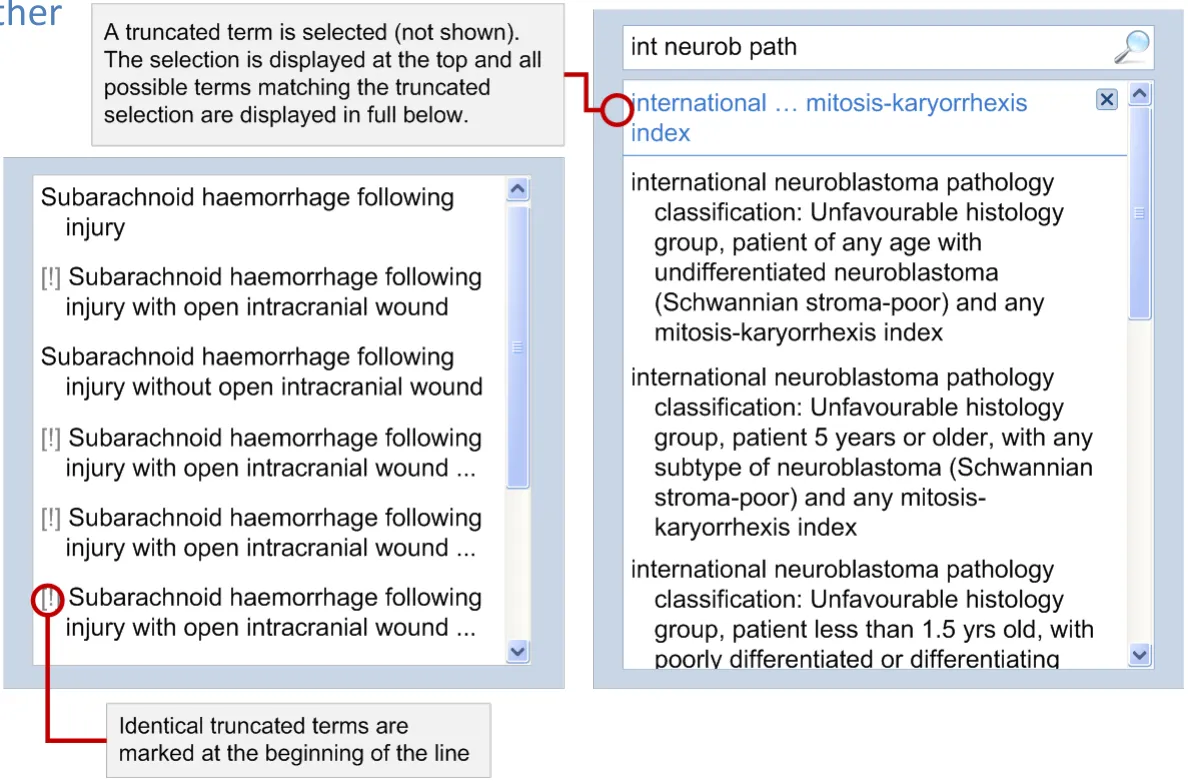
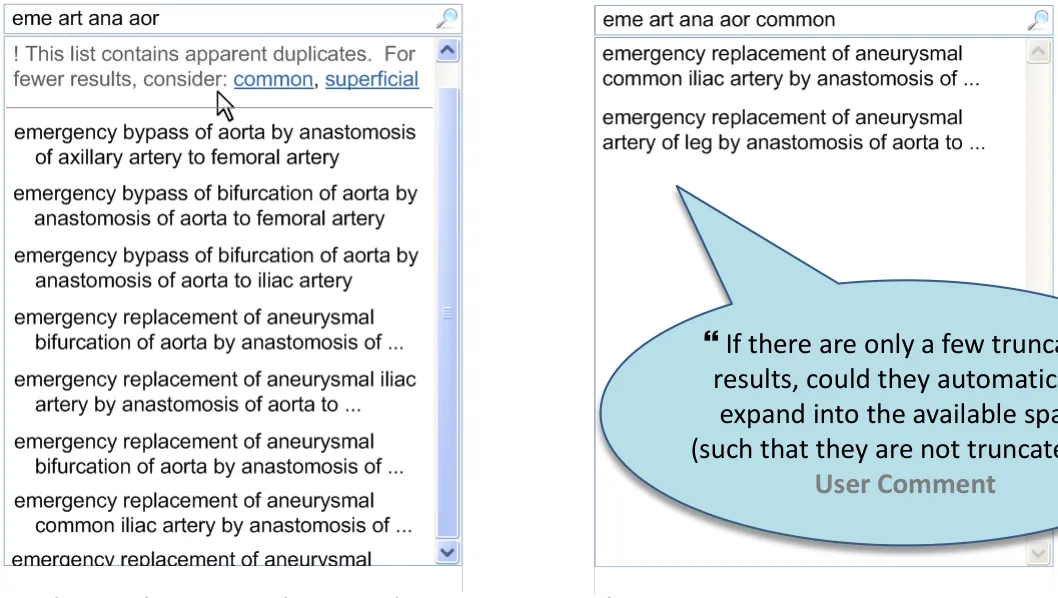
When truncated, some terms may be identical. These apparently duplicate terms can be either marked, consolidated into one item or avoided
18 December 2009 Copyright ©2013 Health and Social Care Information Centre
onfidential
Slide 57
Identical truncated terms
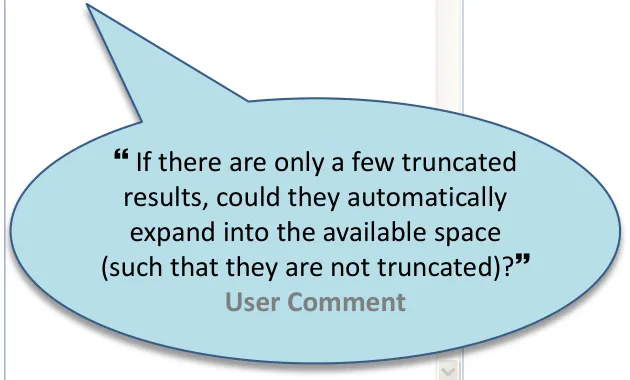
If the presence of identical truncated terms in the list is easily avoided by changing the search criteria, a system could suggest words that would reduce the number of duplicates in the search results. A similar approach could be used to avoid the need for truncation altogether
appear next to one another in the list
18 December 2009 Copyright ©2013 Health and Social Care Information Centre Slide 58
Identical truncated terms
Summary
- When truncation causes identical terms to be displayed in a selection list:
a) it may be necessary to draw attention to each b) it may be possible to consolidate them so that they are only displayed once
-
If the presence of identical truncated terms is easily avoided by changing the search criteria, a system could provide prompts to support narrowing the search results
-
An improved search process can support access to shorter lists in which identical terms are much less likely
-
Progressive disclosure can help to mitigate apparent duplicates since they can be expanded in context
-
A rule that requires identical truncated terms to be expanded automatically would create a potentially confusing mixed list with some expanded and others truncated
-
When many terms are truncated, it is more likely that there are similar (truncated) terms in a list, thus increasing the risk of mis-selection even when they are not identical
18 December 2009 Copyright ©2013 Health and Social Care Information Centre Slide 59
Identical truncated terms
| Emerging Recommendations | Evidence |
|---|---|
| For fixed-width lists, when a list contains identical truncated terms (and when this can be determined) display the list without truncation by default | • An expert user familiar with the list can choose to re-apply truncation (so this still allows truncation to be used but only in certain circumstances) • This recommendation is as close as possible to a rule stating that lists should never contain truncated text if they can contain duplicate items (without being unnecessarily restrictive). It should be tested further |
| For fixed-width lists, when it is not possible for the system to determine whether a list contains identical truncated terms, provide a notification warning of the presence of identical truncated terms | • This recommendation is a reminder that when it is possible for identical truncated terms to appear in a list, a way of mitigating the associated risks is needed |
18 December 2009 Copyright ©2013 Health and Social Care Information Centre Slide 60
Identical truncated terms
Areas / questions for further study • Many of the recommendations refer specifically to fixed or dynamic-width lists. This repetition implies that further work is needed to clarify the priorities and the scenarios in which truncation must be excluded • Emerging recommendations can be used to inform further work on identical truncated terms
18 December 2009 Copyright ©2013 Health and Social Care Information Centre Slide 61
Theme 7
ACCESS to FULL TEXT for truncated terms
18 December 2009 Copyright ©2013 Health and Social Care Information Centre Slide 62
to for truncated terms
Access full text
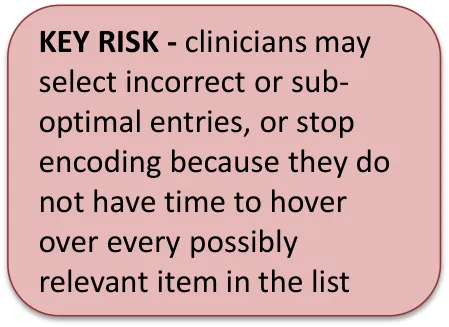
When a selection list contains truncated terms, the full term must be easily available to support the task of comparing and making a selection
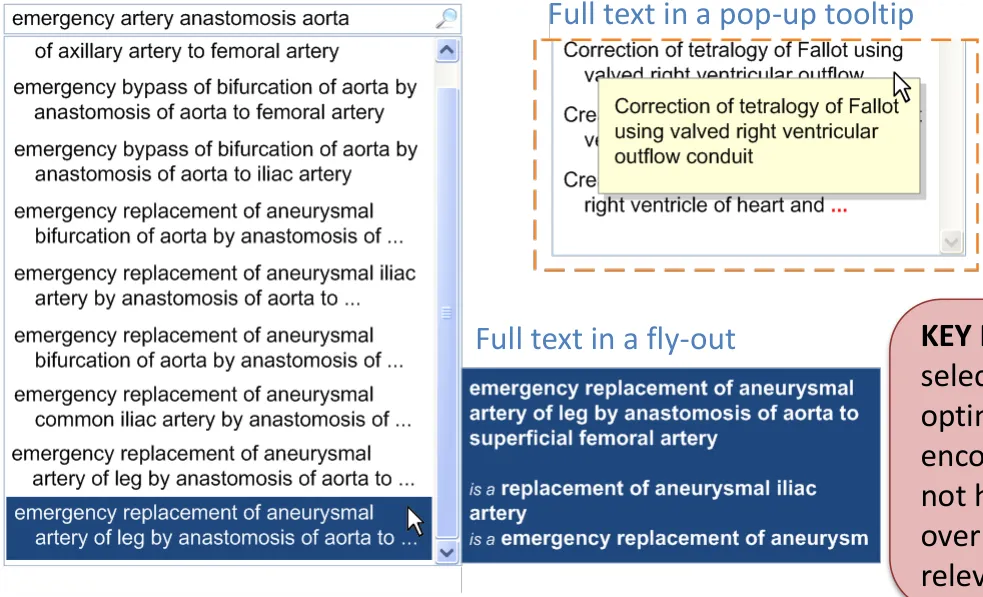
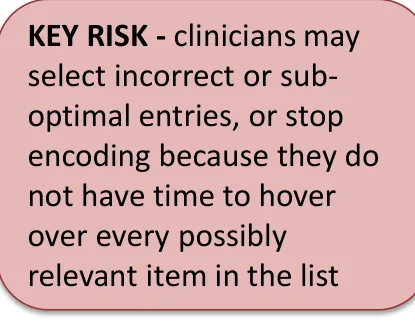
A fly-out for a selection list takes more space than a tooltip but does not obscure other information in the list
18 December 2009 Copyright ©2013 Health and Social Care Information Centre Slide 63
to for truncated terms
Access full text
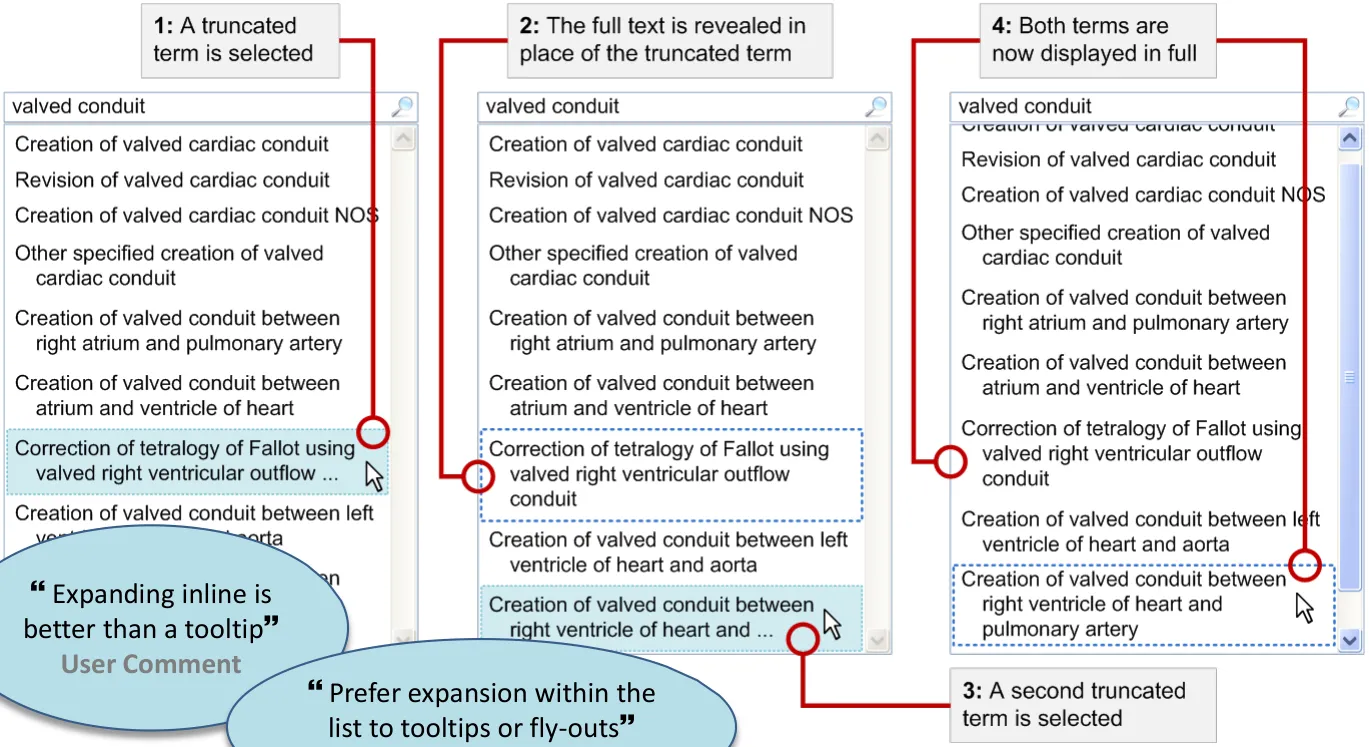
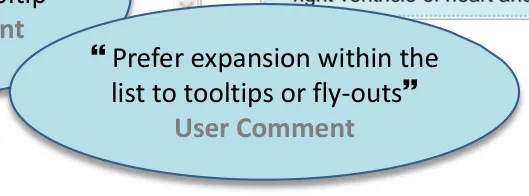
Progressive disclosure can allow more than one truncated term to be displayed in full without obscuring other information
18 December 2009 Copyright ©2013 Health and Social Care Information Centre Slide 64
to for truncated terms
Access full text
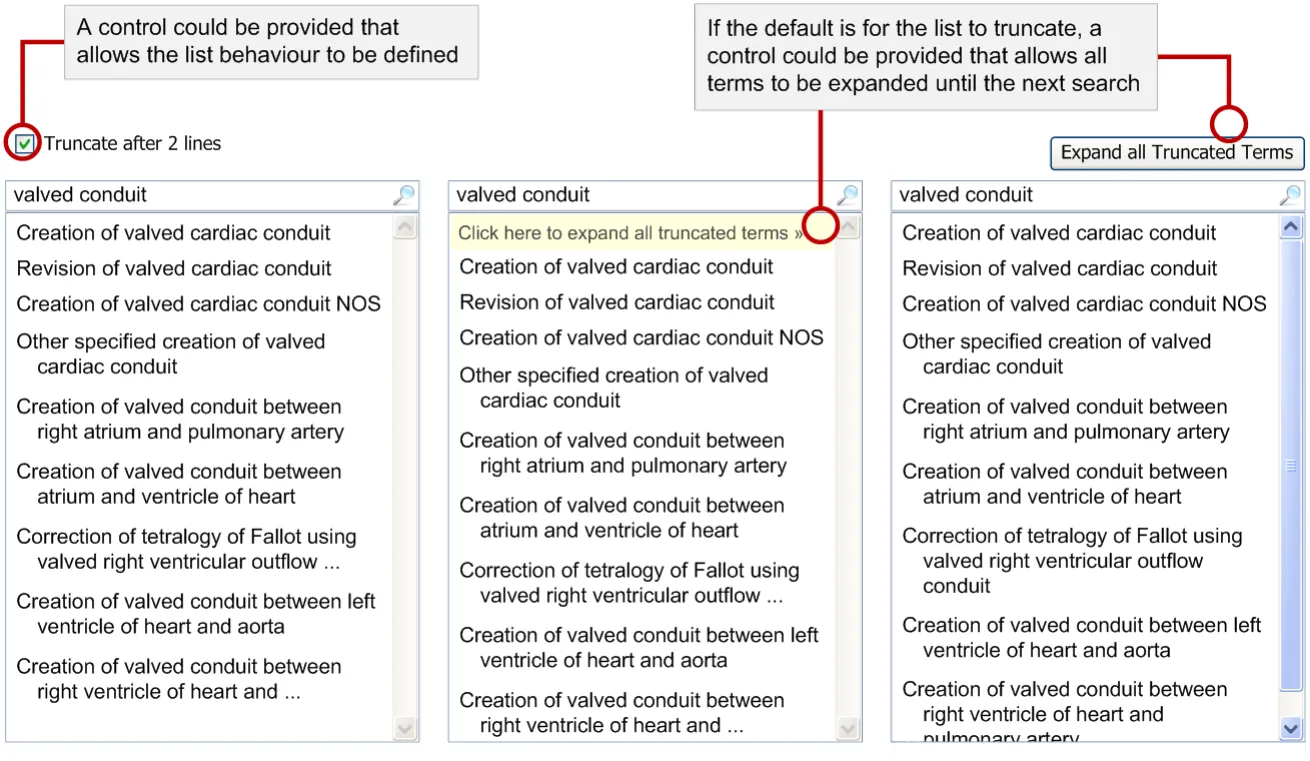
A control could be provided that allows all truncated terms in the list to be revealed
18 December 2009 Copyright ©2013 Health and Social Care Information Centre Slide 65
 to for truncated terms
Access full text
Summary
- Fly-outs and pop-ups
a) Show the full text in place of or in close proximity to the truncated text b) Hover is used to highlight an item in a selection list (immediately) and
display a fly-out (with a delay) c) A fly-out for a selection list takes more space but does not obscure other
information in the list d) A tooltip obscures other information in the same list or table
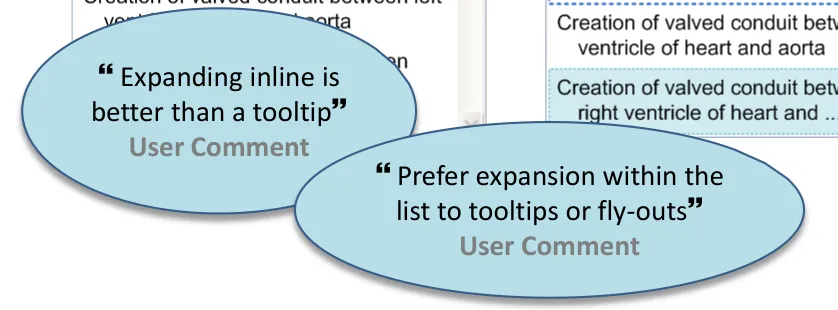
- Expand inline
a) Allows more than one item to be displayed in full b) Allows an item to be expanded in context without obscuring other
information
- Expand all truncated terms
a) A control could be provided that allows all truncated terms in the list to be
expanded, either just this once or as a setting for the search results list
18 December 2009 Copyright ©2013 Health and Social Care Information Centre Slide 66
to for truncated terms
Access full text
| Emerging Recommendations | Evidence |
|---|---|
| If it is possible that a list may contain truncated terms, allow the user to display the list without truncation | • If a list contains truncated terms, but the user is sufficiently familiar with those terms and they are truncated in places that allow them to be differentiated without revealing the full text, then it may be acceptable to work with the truncated list. If the user is not familiar with the terms, they may choose (and it is safer for them) to view the list without truncation |
| If it is possible that a list may contain truncated text, give the user control over the width of the list | • In many cases, this allows a simple and direct method of removing the truncation by resizing the list • Larger lists may be appropriate when reviewing long terms • When a list is resized, more text is displayed within them • This recommendation aims to encourage the provision of dynamic-width lists as far as possible until more work is completed that can generate more specific recommendations or guidance |
18 December 2009 Copyright ©2013 Health and Social Care Information Centre Slide 67
to for truncated terms
Access full text
| Emerging Recommendations | Evidence |
|---|---|
| Ensure that the full text of a truncated term is displayed and acknowledged before an action can be carried out on the selected term | • This guidance aims to ensure that the full text of a term is reviewed actively before any action is carried out on the selection |
18 December 2009 Copyright ©2013 Health and Social Care Information Centre Slide 68
to for truncated terms
Access full text
Areas / questions for further study
• Assuming that the need to access full text for a truncated term is expected to be infrequent, are the methods of accessing full text explored here too complex? • When assessing design alternatives for accessing full text, consider the full process including the steps immediately before and after the display of truncated terms • The primary purpose of accessing full text is to support the process of comparing and selecting so there should be a focus on considering mis-selection risks • Emerging recommendations can be used to inform further work on access to full text for truncated terms
18 December 2009 Copyright ©2013 Health and Social Care Information Centre Slide 69
Supporting Materials
The following additional supporting materials were used in the research of this area and creation of this document
- Working Documents
- _Truncation Kick-off_ (PowerPoint)- Risk Assessment Presentation - _Truncation ORA 4_ _[th]_ _-Nov-2009_ (PowerPoint)
- Risk Assessment Scenarios - _ORA Scenario_ (Visio)
- Risk Assessment Design Alternatives - _ORA Design Alternatives_ (Visio)
- Risk Assessment Findings - _ORA Findings_ (Visio)
- Risk Assessment Findings (illustrations) - _Truncation ORA – Findings_ (PowerPoint)
- _Truncation Design Log_ (Excel)
- _Truncation Design Challenges_ (PowerPoint) (Visio)
- _Truncation User Research Materials_ (PowerPoint) (Visio)
- _User Research Notes_ (Word)
- _Truncation Notes_ (Word)
- User Research Findings - _NHS CUI CAPS Truncation user feedback Nov 2009 0.0.0.2_ (PowerPoint)- NHS CFH Documents
- _Truncation – Master Hazard Log – v0.5 – 13 Nov 2009_ (Excel)- _CFH_Position-paper_Rules-for-truncation-and-wrapping-of-coded-clinical-data_v10_27-Jun-2008_(Word)
- Analysis of SNOMED CT terms (Excel)To obtain any of these supporting materials please contact cuistakeholder.mailbox@nhs.net
18 December 2009 Copyright ©2013 Health and Social Care Information Centre Slide 70
Distribution
Reviewers and Distribution
| Name | Position | Version Approved | Date |
|---|---|---|---|
| Mike Carey | NHS CFH Project Manager | 0.2.0.0 | 17-Dec-2009 |
| Tim Chearman | NHS CFH Project Lead | 0.2.0.0 | 17-Dec-2009 |
| Peter Johnson | Clinical Architect | 0.2.0.0 | 17-Dec-2009 |
| Frank Cross | Clinical Advisor | 0.2.0.0 | 17-Dec-2009 |
| Lindsey Butler | Clinical Safety Advisor | 0.2.0.0 | 17-Dec-2009 |
| Greg Scott | Clinical Advisor | 0.2.0.0 | 17-Dec-2009 |
| Priya Shah | Clinical Advisor | 0.2.0.0 | 17-Dec-2009 |
18 December 2009 Copyright ©2013 Health and Social Care Information Centre Slide 71