Address Input and Display
Address Input and Display
- Address Input and Display
- Quick Implementation Guide
- Edition 1 22 [nd] April 2010
- Address Display
- 3
- When displaying an address horizontally, only use a single comma and a single space, in that order, to delimit the different fields
- When displaying an address vertically, do not use a comma at the end of a line
- When displaying an address vertically, left-align the text for ease of reading
- 18 Orchard Cottage, King’s Road… When truncating an address, add an ellipsis to indicate that the address is not displayed in full and, where appropriate, provide a means for the user to access the full address
- Do not split an address address across multiple lines
- 4
- Ipswich Where part of an address is
- not available, do not display
- an empty string in its place
- Display the postcode in all caps with a space between the first part (the outcode) and the second part (the incode)
- Do not display labels for individual address elements
- 5
- UK Address Input
- 6
- Provide a means to find a postcode, to enhance data quality
- Provide these input boxes, in the stated order, for UK address input
- Where text input boxes are used, they must be labelled as illustrated
- Display a means to find a postcode only if such a service is supported, positioning it after the postcode input box and labelling it ‘Find Postcode’
- 7 Copyright ©2013 Health and Social Care Information Centre
- input box to 8 characters
- Set the length of the ‘County’
- input box to 18 characters
- Set the height of each text input box to the largest character height in the currently active display font, taking the user’s settings into account
- 8
- Display the text input boxes vertically with left alignment
- Display the labels immediately to the left of their corresponding text input box, mutually right-aligning the labels
- Permit address input via all the mechanisms supported on a platform such as, but not limited to, typing on a keyboard, copy and paste, and handwriting with a stylus
- 9
- Permit the illustrated characters in an address
- 10
- 11
- UK Address Finder
- Provide these text input boxes, in the stated order, for input of a UK address
- 12
- Display a means to find an address only if such a service is supported, positioning it after the postcode input box and labelling it ‘Find Address’
- Set the length of the postcode input box to 8 characters
- 13
- to the left of their corresponding text input box, mutually right-aligning the labels
- 14
- Non-UK Address Input
- 15
- Provide the illustrated boxes, in the stated order, for input of a non-UK address
- Where used, the boxes must be labelled as illustrated
- Display the input boxes vertically with left alignment
- 16
- Use an editable drop-down combo box for country names
- Use the list of country names
- Display the country names in alphabetic order
- Display the country names with left alignment
- 17
- Quick Implementation Guide
Source PDF: addressqig.pdf
Quick Implementation Guide
Edition 1 22 [nd] April 2010
0.0.0.1 07-Mar-2010 Changed illustration for ADR-0052 This document was prepared for NHS Connecting for Health which ceased to exist on 31 March 2013. It may contain references to organisations, projects and other initiatives which also no longer exist. If you have any questions relating to any such references, or to any other aspect of the content, please contact cuistakeholder.mailbox@hscic.gov.uk Copyright: You may re-use this information (excluding logos) free of charge in any format or medium, under the terms of the Open Government Licence. To view this licence, visit nationalarchives.gov.uk/doc/open-governmentlicence or email psi@nationalarchives.gsi.gov.uk.
1
Copyright ©2013 Health and Social Care Information Centre
Introduction Introduction
Record and display postal addresses in clinical applications accurately and consistently in order to support:
-
Patient identification
-
Service delivery (such as sending appointment letters)
-
Data interoperability
Important
Although it contains all of the guidance points, this document omits supporting information and is therefore not intended as a substitute for the full NHS CUI document Address Input and Display [1] . Refer to that document for the definitive statement of the design guidance in this area.
The visual representations used to display the guidance are illustrative only. Stylistic choices (for example, display font used), unless otherwise specified, are not part of the guidance and are therefore not mandatory requirements.
1 Address Input and Display – User Interface Design Guidance (v3.0.0.0)
Copyright ©2013 Health and Social Care Information Centre
2
Guidance
Address Display
There are two forms of address display supported by this guidance that apply to both UK and non-UK addresses:
18 Orchard Cottage King’s Road Ipswich Northshire NS33 8KR
In-form or vertically aligned address
18 Orchard Cottage, King’s Road, Ipswich, Northshire, NS33 8KR
In-line or horizontally aligned address
3
Copyright ©2013 Health and Social Care Information Centre
Guidance
Address Display
18 Orchard Cottage, King’s Road, Ipswich, Northshire, NS33 8KR
ADR-0001
When displaying an address horizontally, only use a single comma and a single space, in that order, to delimit the different fields
Mandatory
ADR-0002
18 Orchard Cottage King’s Road Ipswich Northshire NS33 8KR
When displaying an address vertically, do not use a comma at the end of a line
Recommended
ADR-0003
When displaying an address vertically, left-align the text for ease of reading
Recommended
ADR-0004
18 Orchard Cottage, King’s Road… When truncating an address, add an ellipsis to indicate that the address is not displayed in full and, where appropriate, provide a means for the user to access the full address
Recommended
ADR-0005
Do not split an address address across multiple lines
| 18 Orchard | Cottage, |
|---|---|
| King’s Road | , Ipswich, |
| Northshire, | NS33 8KR |
Wrapping of the address has caused ‘King’s Recommended Road’ to be displayed on a new line. It has wrapped without splitting the two words
Copyright ©2013 Health and Social Care Information Centre
4
Guidance
Address Display
18 Orchard Cottage Ipswich Northshire NS33 8KR
ADR-0006
Ipswich Where part of an address is
Northshire
not available, do not display
NS33 8KR
an empty string in its place
Recommended The name of the road is missing
| NS33 8KR | Col2 |
|---|---|
space
Address
18 Orchard Cottage Ipswich Northshire NS33 8KR
ADR-0007
Display the postcode in all caps with a space between the first part (the outcode) and the second part (the incode)
Mandatory
ADR-0008
Do not display labels for individual address elements
Recommended
Copyright ©2013 Health and Social Care Information Centre
5
Guidance
UK Address Input
The minimum number of data elements required for input of a UK address can vary. Many addresses will only require three elements:
 - House number and street
 - Town or city
 - Postcode
However, addresses outside of London will require a ‘County’ and all addresses might need the name of a locality or suburb. During design, reference should be made to the NHS Data Model and Dictionary [1] and the NHS Connecting for Health Personal Demographics Service (PDS) [2] to ensure that content and field lengths comply with the requisite standards.
Where possible, designers of NHS clinical applications should consider validation of the address at time of input in line with PDS entry order.
1 NHS Data Model and Dictionary
http://www.datadictionary.nhs.uk/index.asp
2 The Personal Demographics Service
http://www.connectingforhealth.nhs.uk/systemsandservices/demographics/pds/
Copyright ©2013 Health and Social Care Information Centre
6
Guidance
UK Address Input
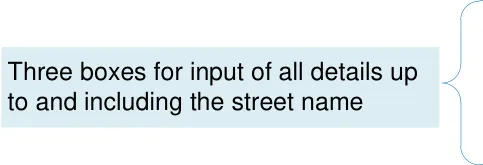
One box for input of the town or city
One box for the input of the county
One box for the input of the postcode
Line 1
Line 2
Line 3
Town / City
County
ADR-0013
Provide a means to find a postcode, to enhance data quality
Recommended
Line 1
Line 2
Line 3
Town / City
County
ADR-00011
Provide these input boxes, in the stated order, for UK address input
Recommended
ADR-0012
Where text input boxes are used, they must be labelled as illustrated
Mandatory
Note This guidance applies to the text of the labels, not the formatting
ADR-0014
Display a means to find a postcode only if such a service is supported, positioning it after the postcode input box and labelling it ‘Find Postcode’
Recommended
7 Copyright ©2013 Health and Social Care Information Centre
Guidance
UK Address Input
ADR-0015
input box to 8 characters
8 characters Mandatory
ADR-0016
Set the length of the ‘County’
County
input box to 18 characters
18 characters
Recommended
ADR-0017
Set the height of each text input box to the largest character height in the currently active display font, taking the user’s settings into account
Recommended
Copyright ©2013 Health and Social Care Information Centre
Line 1
Line 2
8
Guidance
UK Address Input
ADR-0018
Display the text input boxes vertically with left alignment
Recommended
ADR-0019
Display the labels immediately to the left of their corresponding text input box, mutually right-aligning the labels
Right align Recommended
labels
| 1 2 3 ty ty e | Left align input fields Find Postcode |
|---|---|
ADR-0020
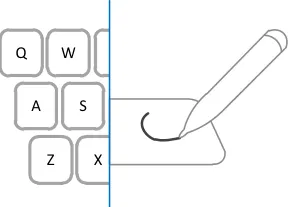
Permit address input via all the mechanisms supported on a platform such as, but not limited to, typing on a keyboard, copy and paste, and handwriting with a stylus
Recommended
Copyright ©2013 Health and Social Care Information Centre
9
Guidance
UK Address Input
ADR-0021
Permit the illustrated characters in an address
Recommended
Copyright ©2013 Health and Social Care Information Centre
| Aa | Uppercase and lowercase letters |
|---|---|
| 0-9 | Numbers 0 to 9 |
| . | The full stop |
| / | Forward slash |
| , | Comma |
| : | Colon |
| ‘ | Apostrophe |
| Space | |
| - | Hyphen |
10
Guidance
UK Address Input
Though the guidance does not define it, the input control should provide instructional text to guide input. This could be by using hints (text outside the text input box), prompts (watermarks inside the text input box), or tool tips.
Town / City
County
Town / City
County
Line 1
Line 2
e.g. Ipswich
e.g. Northshire
Instructional text outside of the text input box
e.g. Ipswich
e.g. Northshire
Instructional text inside the text input box
| Enter the first lin | Col2 | Col3 |
|---|---|---|
| Enter the first lin | Enter the first lin | Enter the first lin |
Instructional text in a tool tip
11
Copyright ©2013 Health and Social Care Information Centre
Guidance
UK Address Finder
A UK address finder should only be provided if the clinical application supports a postcode-based address lookup service. Typically, all the matching addresses found in the database are displayed in an address picker. The user then selects one of these addresses and it is stored as if the user had input the whole address.
Thought the guidance does not define it, the finder control may provide additional text by using hints, prompts or tool tips.
House / Building Number
House / Building Name
Postcode
UK Address Finder
ADR-0031
| 1 box | For input of house or building number |
|---|---|
| 1 box | For input of house or building name |
| 1 box | For input of the postcode |
House / Building Number
House / Building Name
Postcode
Provide these text input boxes, in the stated order, for input of a UK address
Recommended
ADR-0032
Where text input boxes are used, they must be labelled as illustrated
Mandatory
Copyright ©2013 Health and Social Care Information Centre
12
Guidance
UK Address Finder
House / Building Number
House / Building Name
Postcode
Postcode
NS33 8KR
8 characters
ADR-0033
Display a means to find an address only if such a service is supported, positioning it after the postcode input box and labelling it ‘Find Address’
Recommended
ADR-0034
Set the length of the postcode input box to 8 characters
Mandatory
ADR-0035
Set the height of each text input box to the largest character height in the currently active display font, taking the user’s settings into account
Recommended
Copyright ©2013 Health and Social Care Information Centre
House / Building Number
13
UK Address Finder
Right align
labels
Guidance
ADR-0036
Display the text input boxes vertically with left alignment
Recommended
| er me de | Left align input fields Find Address ADR-0037 |
|---|---|
to the left of their corresponding text input box, mutually right-aligning the labels
Recommended
ADR-0038
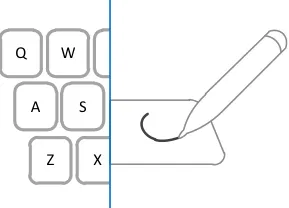
Permit address input via all the mechanisms supported on a platform such as, but not limited to, typing on a keyboard, copy and paste, and handwriting with a stylus
Recommended
Copyright ©2013 Health and Social Care Information Centre
14
Guidance
Non-UK Address Input
Non-UK address input may be required for an expatriate living abroad, a patient living abroad temporarily, or a patient providing the address of their next of kin.
ADR-0050
| 1 editable combo box | For country selection |
|---|---|
| 4 boxes | For all details up to and including the street name |
| 1 box | For input of the town or city |
| 1 box | For input of the postal code |
Country
Line 1
Line 2
Line 3
Line 4
Town / City
Postal Code
15
Provide the illustrated boxes, in the stated order, for input of a non-UK address
Recommended
ADR-0051
Where used, the boxes must be labelled as illustrated
Mandatory
Note This guidance applies to the text of the labels, not the formatting
Copyright ©2013 Health and Social Care Information Centre
Non-UK Address Input
Country
Line 1
Right align
labels
Guidance
ADR-0052
Set the height of each text input box to the largest character height in the currently active display font, taking the user’s settings into account
Recommended
ADR-0053
Display the input boxes vertically with left alignment
Recommended
ADR-0054
Display the labels immediately to the left of their corresponding text input box, mutually right-aligning the labels
Recommended
ADR-0055
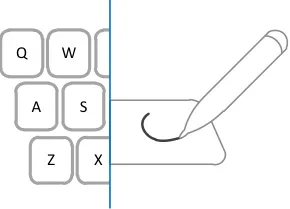
Permit address input via all the mechanisms supported on a platform such as, but not limited to, typing on a keyboard, copy and paste, and handwriting with a stylus
Recommended
| ry 1 2 3 4 ty de | Left align input fields Find Postcode |
|---|---|
Copyright ©2013 Health and Social Care Information Centre
16
Guidance
Non-UK Address Input
ADR-0056
Country
Use an editable drop-down combo box for country names
Recommended
ADR-0057
Country
Use the list of country names
Mandatory
ADR-0058
Display the country names in alphabetic order
Recommended
ADR-0059
Display the country names with left alignment
Recommended
| Col1 | Col2 | Col3 | Col4 |
|---|---|---|---|
| Afghanistan Aland Islands Albania Algeria American Samoa Andorra Angola Anguilla Antarctica Antigua and Barbuda | Afghanistan Aland Islands Albania Algeria American Samoa Andorra Angola Anguilla Antarctica Antigua and Barbuda | Afghanistan Aland Islands Albania Algeria American Samoa Andorra Angola Anguilla Antarctica Antigua and Barbuda | |
| Afghanistan Aland Islands Albania Algeria American Samoa Andorra Angola Anguilla Antarctica Antigua and Barbuda | Afghanistan Aland Islands Albania Algeria American Samoa Andorra Angola Anguilla Antarctica Antigua and Barbuda | Afghanistan Aland Islands Albania Algeria American Samoa Andorra Angola Anguilla Antarctica Antigua and Barbuda | |
| Afghanistan Aland Islands Albania Algeria American Samoa Andorra Angola Anguilla Antarctica Antigua and Barbuda | Afghanistan Aland Islands Albania Algeria American Samoa Andorra Angola Anguilla Antarctica Antigua and Barbuda | Afghanistan Aland Islands Albania Algeria American Samoa Andorra Angola Anguilla Antarctica Antigua and Barbuda | |
| Afghanistan Aland Islands Albania Algeria American Samoa Andorra Angola Anguilla Antarctica Antigua and Barbuda | Afghanistan Aland Islands Albania Algeria American Samoa Andorra Angola Anguilla Antarctica Antigua and Barbuda | Afghanistan Aland Islands Albania Algeria American Samoa Andorra Angola Anguilla Antarctica Antigua and Barbuda |
1 ISO 3166-1: 2006 Codes for the representation of names of countries and their subdivisions
Part 1: Country codes http://www.iso.org/iso/country_codes/iso_3166_code_lists/ english_country_names_and_code_elements.htm
and http://www.iso.org/iso/iso_catalogue/catalogue_tc/catalogue_detail.htm?csnumber=2130
17
Copyright ©2013 Health and Social Care Information Centre